


@totallynotmmanimations
Joined on March 20th, 2020, this user has been a member for 2,307 days and is the 34,252nd person to register an account.
Has 0 submissions and to be honest, that's just sad.
Has made 2 comments on non-activity pages of the site. Alternatively, this user has made 34 comments on actual activity pages of the site.
This member is not a Users' Choice voter.
Show More
-
 Replying to comment by:
Yes, i just need to add 1 or two frames. The glitch is there at all times.
-
Replying to comment by:
Im 100% sure it isnt the size of my fingers. Even when i touch the slide bar 100% making sure my finger didnt touch any of the frames, the same thing happens. And lets say it was my fingers, I was able to use it perfectly normally at the start of this week. All of a sudden my fingers got mega thicc and now i cant use it anymore? in a week? That’s impossible.
-
Replying to comment by:
Like i said, its not just a single project. its happening to all of my projects, even the new ones i create.
-
Replying to comment by:
It isnt. Its happening to all my other projects. Matter of fact, if i make a new project right now and added like 10 frames. the same glitch would happen. (i tested it countless of times)
-
Replying to comment by:
this is so frustrating
-
Replying to comment by:
The slide bar located under all of the frames doesnt work. no matter how many times i try using it, when i hold and drag it. it just drags the frames on top. usually if i drag it would be really speedy.
-
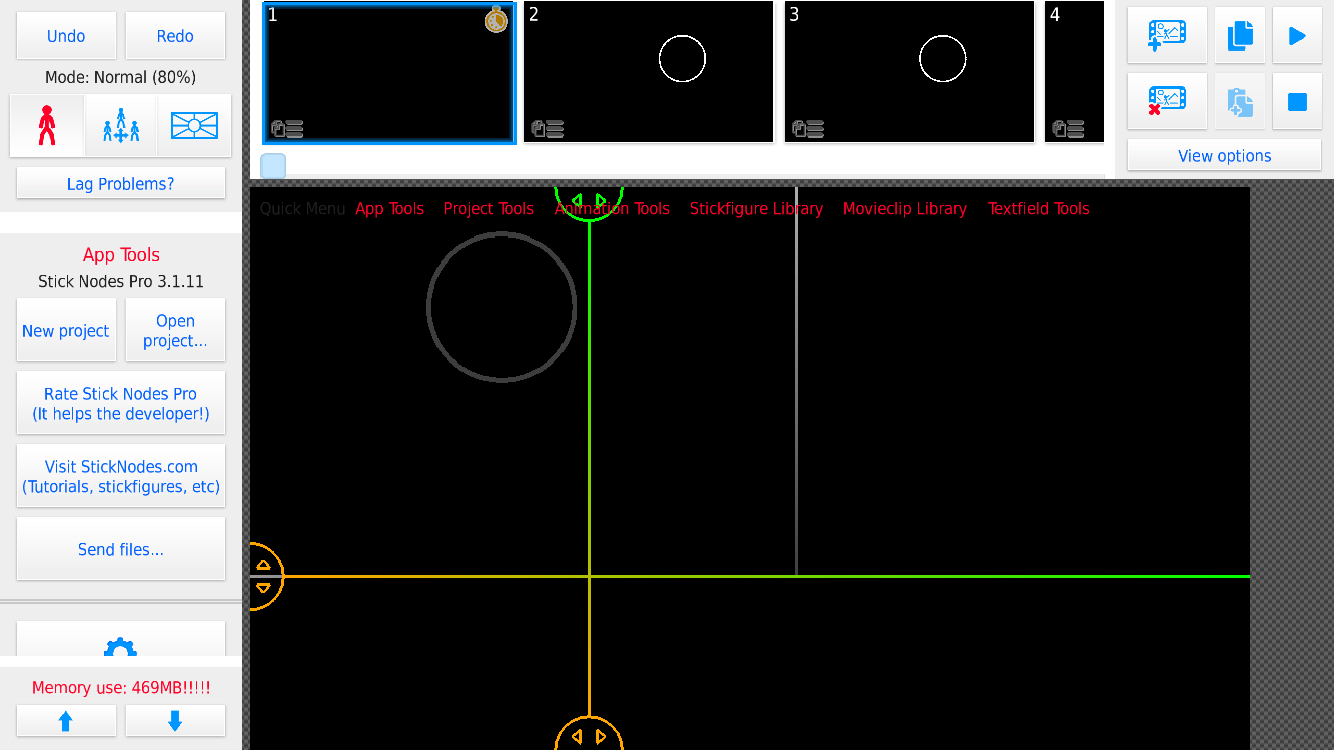
bro what is GOING ON with my sticknodes. Im trying to animate my series and all of a sudden the slide bar legit breaks. Do y’all know how annoying this is for an animation with over 700 frames? im trying to sync this whole thing to music too, but this broken slide bar isn’t helping. Ive tried saving and re-opening about a thousand times but its still the same. Anybody else having this glitch? anybody know to fix it? Please just help me… @ralph
-
Replying to comment by:
god dangit.. Is there any backstreet way where i can like put the update file into my ios?
-
Im an idiot
-
Alright, so something unfortunate just happened.
Me and my buddies decided to make a huge series and we were preparing for the last couple days. We made the characters, bgs etc. So finally when we decided to start it, he made his part then sent it to me so i could also work on it. BUUT, since he was on an ANDROID and im on IOS, i couldnt OPEN THE FRIKIN FILEEE. So yeah everything is basically over or paused until ios gets the update. Please PLEASE make the update for ios.. I beg you. @ralph-

HAHAAHHAAHAHAHAHAHAHHAAHHAHAHAHAHAHAHAHAHAHAHAHAHAHAHAHAHAHAHAHAH !!!!!!!!!!
@ralph , help this poor fellow
2020-07-08 23:39:43 UTC -
Im an idiot
2020-07-08 23:40:45 UTC -

I believe Ralph has already sent the latest update to iOS.
No issues has been seen since 3.1.5 from my knowledge so it’s likely it’s been sent by now.
The app store also needs to approve the update which will take a few days if not weeks at worst.
2020-07-08 23:42:35 UTC-
Replying to:
god dangit.. Is there any backstreet way where i can like put the update file into my ios?
2020-07-08 23:46:49 UTC-
 Replying to:
No
2020-07-08 23:55:50 UTC -
Replying to:
Not that I know of.
-

yes, sorry
im uploading iOS today if nothing goes wrong
all day yesterday I was testing things across all different types of devices, takes time but it’s necessary to make sure things ain’t broke
today much of the same
if apple is quick about it, it could be out tonight2020-07-09 12:04:32 UTC-
 Replying to:
Nice
-
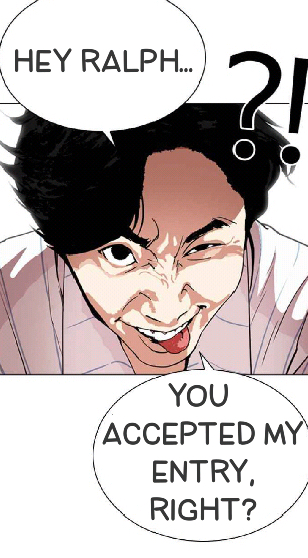
Welp boys… Gg
Kyle and his buddy kyanos will be back another time..
Also, im suprised smx didnt get in
-

My time will probably be when I have my great great grandchildren, which is to say never
2020-07-01 08:12:25 UTC
-
-
-
Gey
2020-05-26 00:07:38 UTC-
 Replying to:
Agreed
2020-05-26 09:51:17 UTC
-
statistically speaking, probably not!
2020-05-26 00:44:26 UTC-
 Replying to:
What about m-
2020-05-26 00:47:54 UTC -
Replying to:
Agreed
2020-05-26 09:51:25 UTC
-

-
Replying to comment by:
how is it a r/whoosh if the dude was being serious..?
-
Who here has eaten homefood recently?
-
What’s homefood?
-

Me, about everyday
-
Replying to comment by:
This isnt my splash screen entry. just a little ting i made.
- Load More


looks fine to me.
what happened?
The slide bar located under all of the frames doesnt work. no matter how many times i try using it, when i hold and drag it. it just drags the frames on top. usually if i drag it would be really speedy.
oh, thats probaly a memory glitch considering the ammount of memory usage you got there.
To avoid this I would just export what you have and make a part 2 project
It isnt. Its happening to all my other projects. Matter of fact, if i make a new project right now and added like 10 frames. the same glitch would happen. (i tested it countless of times)
then @ralph
@arcionek mabye he know somthing about it
Seems like just too big of fingers to me.
I mean… I had that issue before. It’s definitelly harder to drag it past 130 frames or so.
Practice I guess? Or maybe check your touch and selection settings.
Though never knew it could be related to memory usage thing. Though might make sense. Ralph prob should look onto it.
Im 100% sure it isnt the size of my fingers. Even when i touch the slide bar 100% making sure my finger didnt touch any of the frames, the same thing happens. And lets say it was my fingers, I was able to use it perfectly normally at the start of this week. All of a sudden my fingers got mega thicc and now i cant use it anymore? in a week? That’s impossible.
If you spam bunch of frames on a blank project, does it also happen?
Im really wondering if lag affects this significantly.
Ps. you definitelly need to utilise lag free methods which involve movieclips since that memory usage is just not alright.
lag =/= memory usage do i have to LEARN YOU AS WELL
Yes, i just need to add 1 or two frames. The glitch is there at all times.
You should back up that project to a pc then get rid of it on ur mobile device. Too much ram might be in use.
Like i said, its not just a single project. its happening to all of my projects, even the new ones i create.
https://gfycat.com/mellowimpoliteaustraliankelpie
Some other people (including me) are having the same problem
this is so frustrating
̶t̶h̶i̶s̶ ̶i̶s̶ ̶w̶h̶y̶ ̶i̶ ̶s̶t̶i̶l̶l̶ ̶u̶s̶e̶ ̶3̶.̶1̶.̶8̶
i think you posted this the same time the new iOS update when live that fixes this
sry m9
just update and u good