



@vincetheanimator
Joined on December 17th, 2017, this user has been a member for 3,092 days and is the 4,964th person to register an account.
Has 0 submissions and to be honest, that's just sad.
On average, when this user rates stickfigures, they are 90% positive.
Has made 5 comments on non-activity pages of the site. Alternatively, this user has made 290 comments on actual activity pages of the site.
This member is not a Users' Choice voter.
Show More



-
 Replying to comment by:
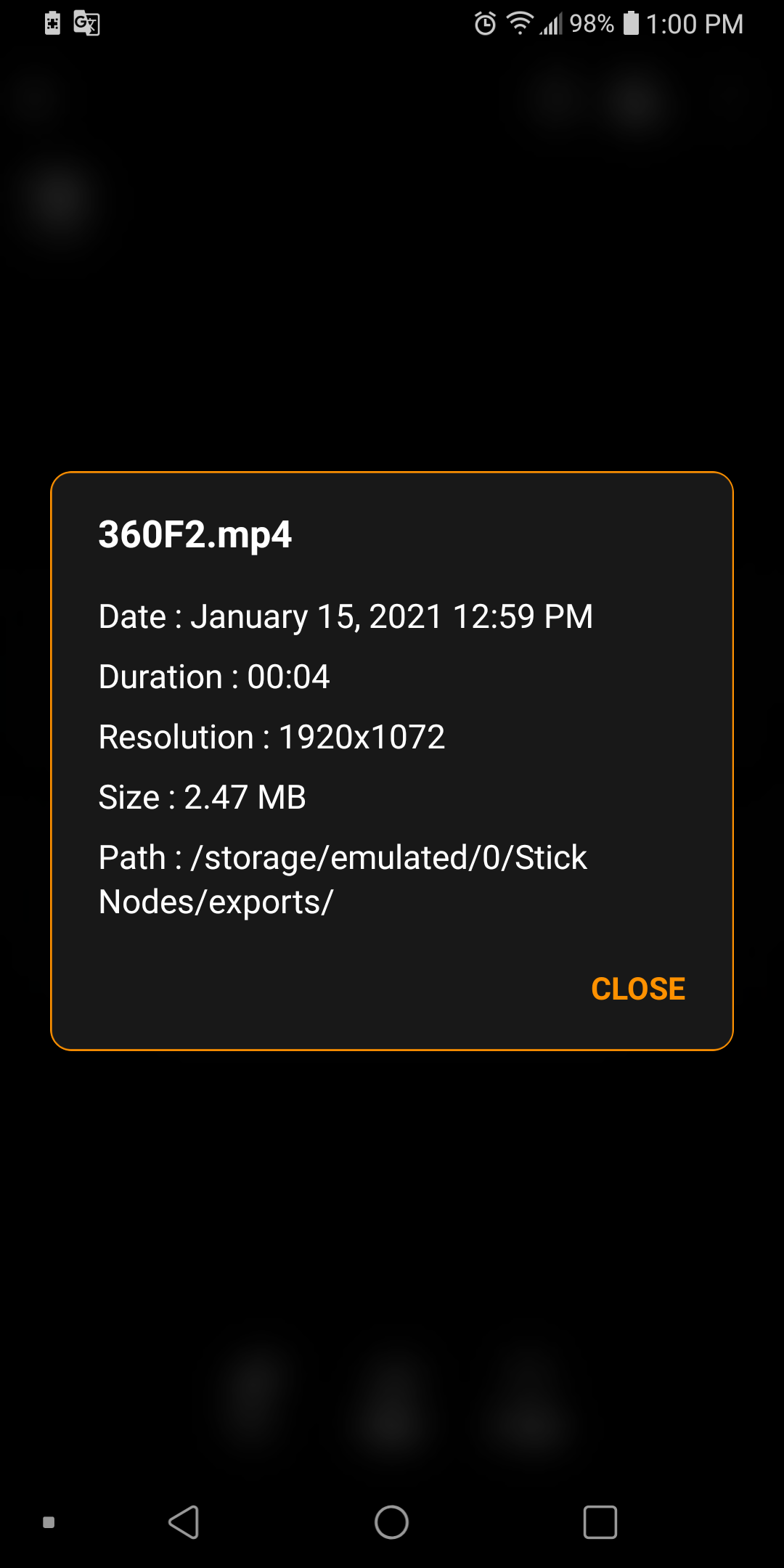
Yeah, I set mine to max, and instead of giving me the 16:9 ratio it’s locked to, it gave me a slightly off 1920×1072 resolution. I’m wondering if it’s like this for anyone else.
-
Anyone else’s anims export at 1920×1072 instead of 1920×1080? Or am I an isolated case?
-
Replying to comment by:
Yes, dew it
-
-

Sticknodes demon confirmed.
He’s not real
2020-12-23 00:28:58 UTC -

Guys
the s t I c. k n o d e s d e m o n
is real., and I saw him multiple! times.
when I *opened* the app I was in on, scary but he was real, the people who say he is not real are stupid,
because and I saw him with my own eyes2020-12-23 00:58:26 UTC
-
my school unblocked sticknodes.com, gg ig
-

 2020-11-16 00:53:28 UTC
-
 Replying to:
Corona is mobilized
-
Sean is better
-

i agree 200%
2020-11-04 01:33:02 UTC-
 Replying to:
Same
2020-11-04 01:38:28 UTC
-

User Banned
NO Ralph better he is actually online more then sean
-
Replying to:
r/unpopularopinion
2020-11-04 02:18:19 UTC
-
-
Replying to comment by:
Yep 😃
-
Replying to comment by:
Hello fellow Vince
-
Replying to comment by:
damn
-
Replying to comment by:
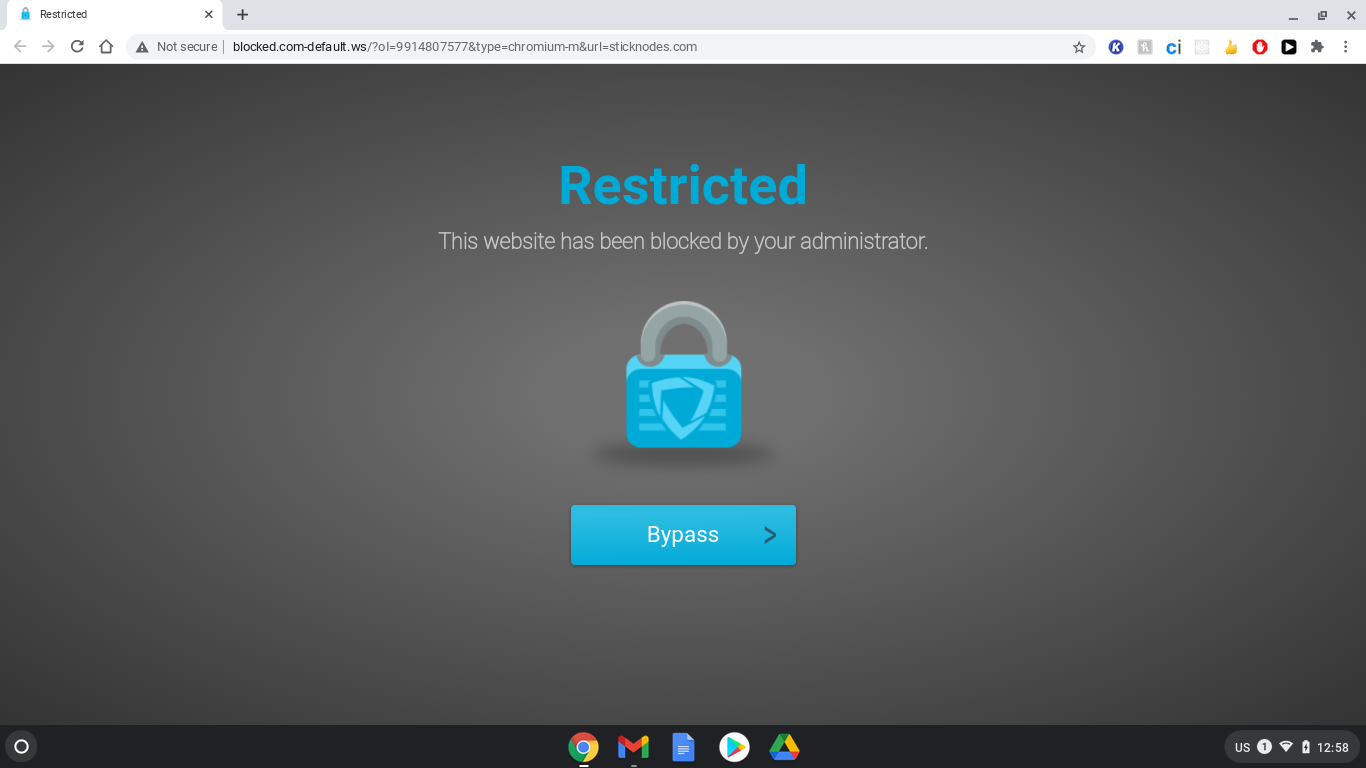
Wait, wth, that site isn\’t blocked, and it isn\’t secure either. Did my school actually specifically block Sticknodes.com??? If that\’s the case, lmaooo what.
They didn\’t block Facebook, Twitter, Discord, Twitch, Amino, Instagram, and MySpace, but they blocked Sticknodes….

-
Replying to comment by:
Yes, indeed
-
I think my school just blocked all non SSL encrypted websites… while I was typing a reply. @Ralph :JotaroPoint:
Either that, or they targeted the one person in the school using Sticknodes.com
In all seriousness tho, I find this more comedic than genuinely annoying. Kek
P.S. Sorry for the ping
-
![Profile picture of [Abandoned]](https://sticknodes.com/wp-content/themes/dw-minion/assets/img/wpsn/default-avatars/03.png "[Abandoned]")
oof, i feel you
2020-10-22 18:35:11 UTC -

im curious, here’s sean’s site: http://uptwopixels.com/
is that blocked too?
2020-10-23 11:24:04 UTC-
Replying to:
Wait, wth, that site isn’t blocked, and it isn’t secure either. Did my school actually specifically block Sticknodes.com??? If that’s the case, lmaooo what.
They didn’t block Facebook, Twitter, Discord, Twitch, Amino, Instagram, and MySpace, but they blocked Sticknodes….
2020-10-23 22:02:16 UTC-
Replying to:
wow
commit graffiti in the bathrooms promoting stick nodes
2020-10-25 11:19:05 UTC
-
Replying to comment by:
Oh, or maybe it can be even simpler:
Left of deadzone: predefined \”slower\” speed.
In deadzone: predefined \”default\” speed.
Right of deadzone: predefined \”faster\” speed.
-
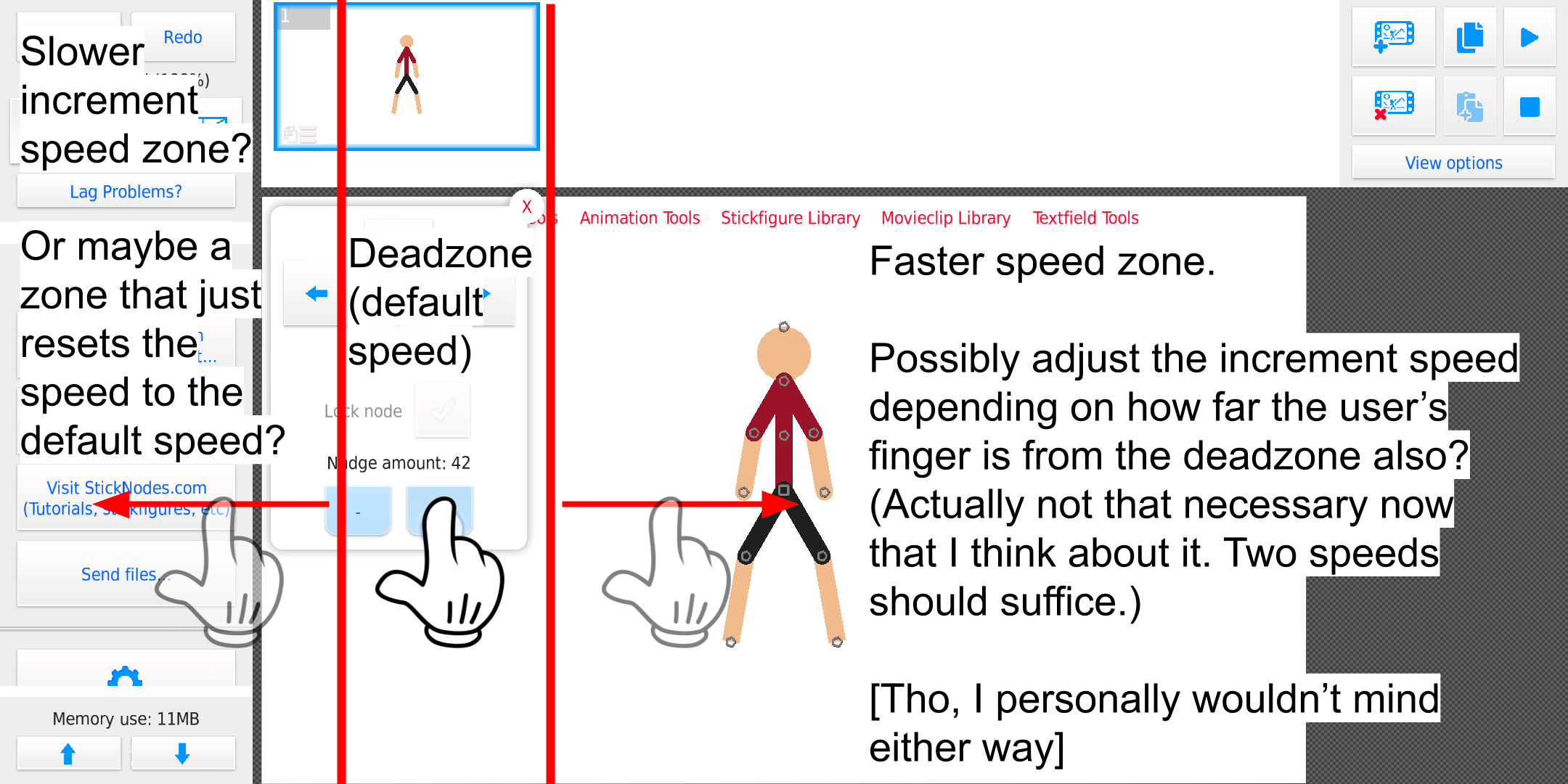
How about a feature that lets us decrease/increase the arrow nudge amount (maybe other incremental values too) by dragging our finger while holding onto a incremental/decrement button?
-
Oh, or maybe it can be even simpler:
Left of deadzone: predefined “slower” speed.
In deadzone: predefined “default” speed.
Right of deadzone: predefined “faster” speed.
2020-10-22 02:43:07 UTC -

I think I know what you mean, similar to when you increase the length of a shape after reaching above 100 it would then go up in 10s rather than 1s. You want this to be a controllable thing as well to toggle it on or off.
2020-10-22 10:53:33 UTC-
Replying to:
Yes, indeed
-
Anything interesting happen here yet? :thinking:
- Load More


User Banned
i post at MAX some pictures.
Yeah, I set mine to max, and instead of giving me the 16:9 ratio it’s locked to, it gave me a slightly off 1920×1072 resolution. I’m wondering if it’s like this for anyone else.
it do that on purpose
tl;dr: https://www.youtube.com/watch?v=05EcAaQ3i7A
Huh, so if it’s a multiple of 16, it encodes better. I guess that makes sense. And since most people just upload their exported animations strait to YouTube anyway, I suppose having it that way in app is perfectly logical. Interesting
The only reason I noticed it is because I needed to crop a perfect square outta my exported animation and expected that square to be 1080×1080 but instead could only get a maximum of 1072×1072. I can just export to GIF or a PNG sequence if I really need 1080×1080 tho.