
Joined:Feb 15, 2018
Uploads:12
Features:1
UC Wins:3


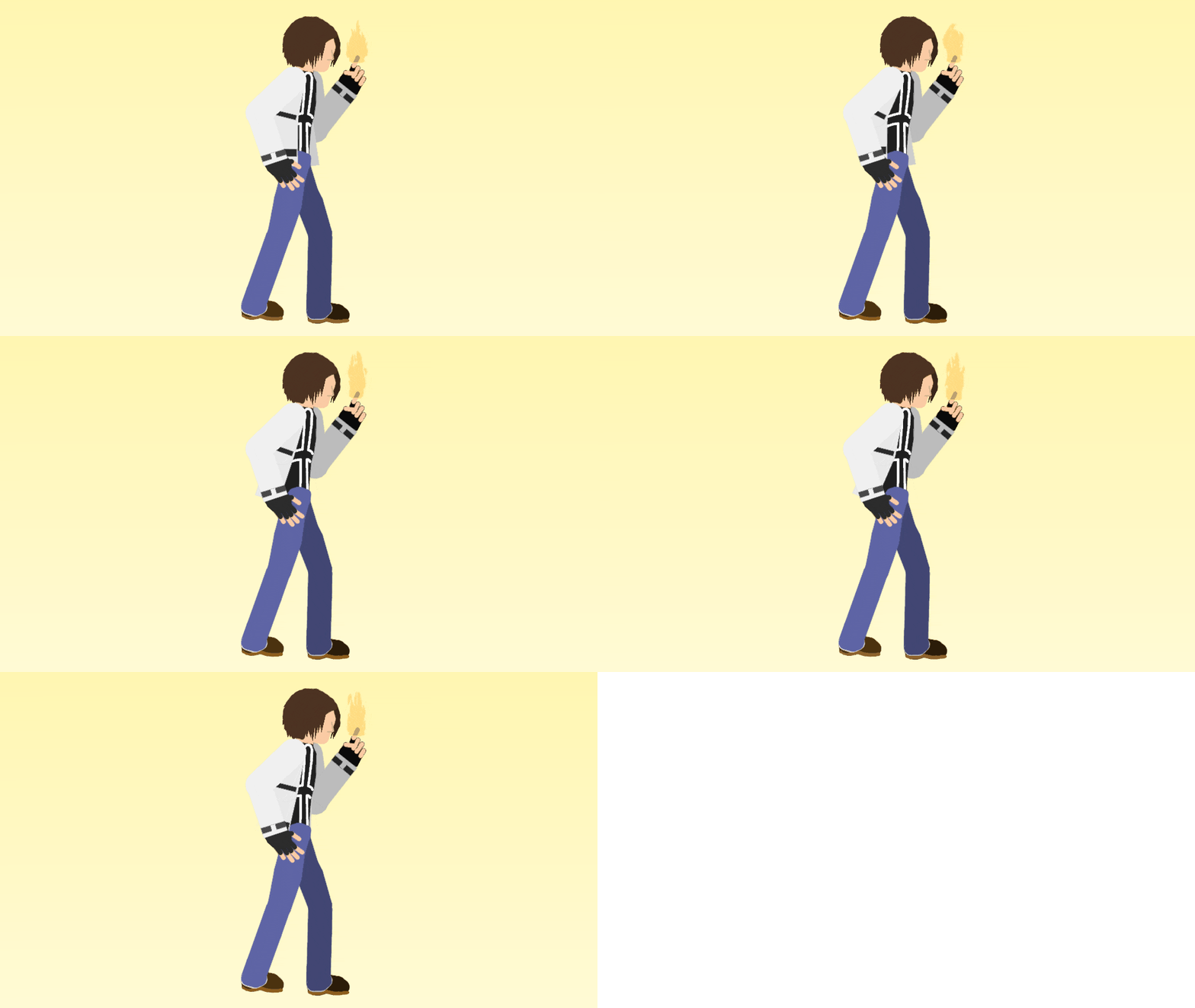
My First Detailed figure, no i'm not gonna make all of the KOF characters in this format, only a select few, or atleast until i made all of the characters in the franchise (including redesingns, strikers, and non-canon characters)
Also this is the second animated gif and ralph probably already knows who this is because it's the "Fire Shooting Dude Like Before"
No i didn't use a base, this can be compatible with the normal stickfigure (Default on-screen) if you set it 0.85 size
Instructions for Animated GIF (if you are asking, and so ralph doesn't write it in the comments section, and he can just copy-paste this in the FAQs section [please credit me])
Has To Be 640x360 Low Filesize Has To Be Subtle (Appropriate For Character, Item, Etc.) No Flashing Lights/Images No Distracting Stuff <20 frames INCLUDING tweened frames Try to only show stickfigures that are being downloaded
Now For Some Personal Tips From Me
Use Things Like Effects (like with the fire in this gif, it isn't mine), Items, People(for item packs), Etc That Are APPROPRIATE, if you are using unimportant stuff don't even bother (unless it's a pack and it's your character's weapon)
Be Creative, Try Stuff like Reflection or other stuff like Backgrounds (You try it, i haven't) to make it more eye catching and pleasing, but keep in mind the low filesize
-Use Fitting Colors for bg (if you want/no bg), don't use random colors that clash with the stickfigures colors and make it eyebleeding
Also this is the second animated gif and ralph probably already knows who this is because it's the "Fire Shooting Dude Like Before"
No i didn't use a base, this can be compatible with the normal stickfigure (Default on-screen) if you set it 0.85 size
Instructions for Animated GIF (if you are asking, and so ralph doesn't write it in the comments section, and he can just copy-paste this in the FAQs section [please credit me])
Has To Be 640x360 Low Filesize Has To Be Subtle (Appropriate For Character, Item, Etc.) No Flashing Lights/Images No Distracting Stuff <20 frames INCLUDING tweened frames Try to only show stickfigures that are being downloaded
Now For Some Personal Tips From Me
Use Things Like Effects (like with the fire in this gif, it isn't mine), Items, People(for item packs), Etc That Are APPROPRIATE, if you are using unimportant stuff don't even bother (unless it's a pack and it's your character's weapon)
Be Creative, Try Stuff like Reflection or other stuff like Backgrounds (You try it, i haven't) to make it more eye catching and pleasing, but keep in mind the low filesize
-Use Fitting Colors for bg (if you want/no bg), don't use random colors that clash with the stickfigures colors and make it eyebleeding
Problem with this submission?
Please log in to report this file.










Other popular submissions in people category


Wait WHAT
Whoa hey look my guest account
Also
*THIRD not Second
So don’t start a fùcking flame war over this
Yes i wrote this, so don’t start bullsht arguements over this
Yes i wrote this, So don’t start BS over this
What
I need genuine critism for this, so if you are going to say what please give context or don’t bother
Pants need wrinkles
I’ll work on that
Thanks!
…. That animation…
So?
Is better than yours… 😀
I made it you twa-
Nah i won’t insult you fam
What better than me?
… the animation boi… Is good
Very nice stick figure, nicely detailed, but not to complex to the point I can’t understand what’s going on, great job!
Thanks, expect more or less like this in the future
90% of these comments were from you…
Yeah and?