

@boot2


Joined on December 12th, 2019, this user has been a member for 2,372 days and is the 30,543rd person to register an account.
Has 58 submissions, the first one uploaded on March 26th, 2018 and the most recent on February 17th, 2026.
Of those, 2 have been featured and 14 have won Users' Choice.
On average, each submission earns 2,600 downloads.
In total, they have been download 150,837 times.
Counting every individual stickfigure, including the contents of all packs, this user has technically made and submitted 170 stickfigures.
On average, when this user rates stickfigures, they are 87% positive.
Has made 53 comments on non-activity pages of the site. Alternatively, this user has made 2,745 comments on actual activity pages of the site.
They have visited the site consecutively for 268 days, their best streak also being 268 days. On average, they post 10 updates and 45 comments per week.
This member is a Users' Choice voter!
Their current voting streak is 333 and their longest streak is 333 consecutive votes.










-
 Replying to comment by:
Yeah I think it’s the latest update because this wasn’t happening before the sprite skewing update.
-
Replying to comment by:
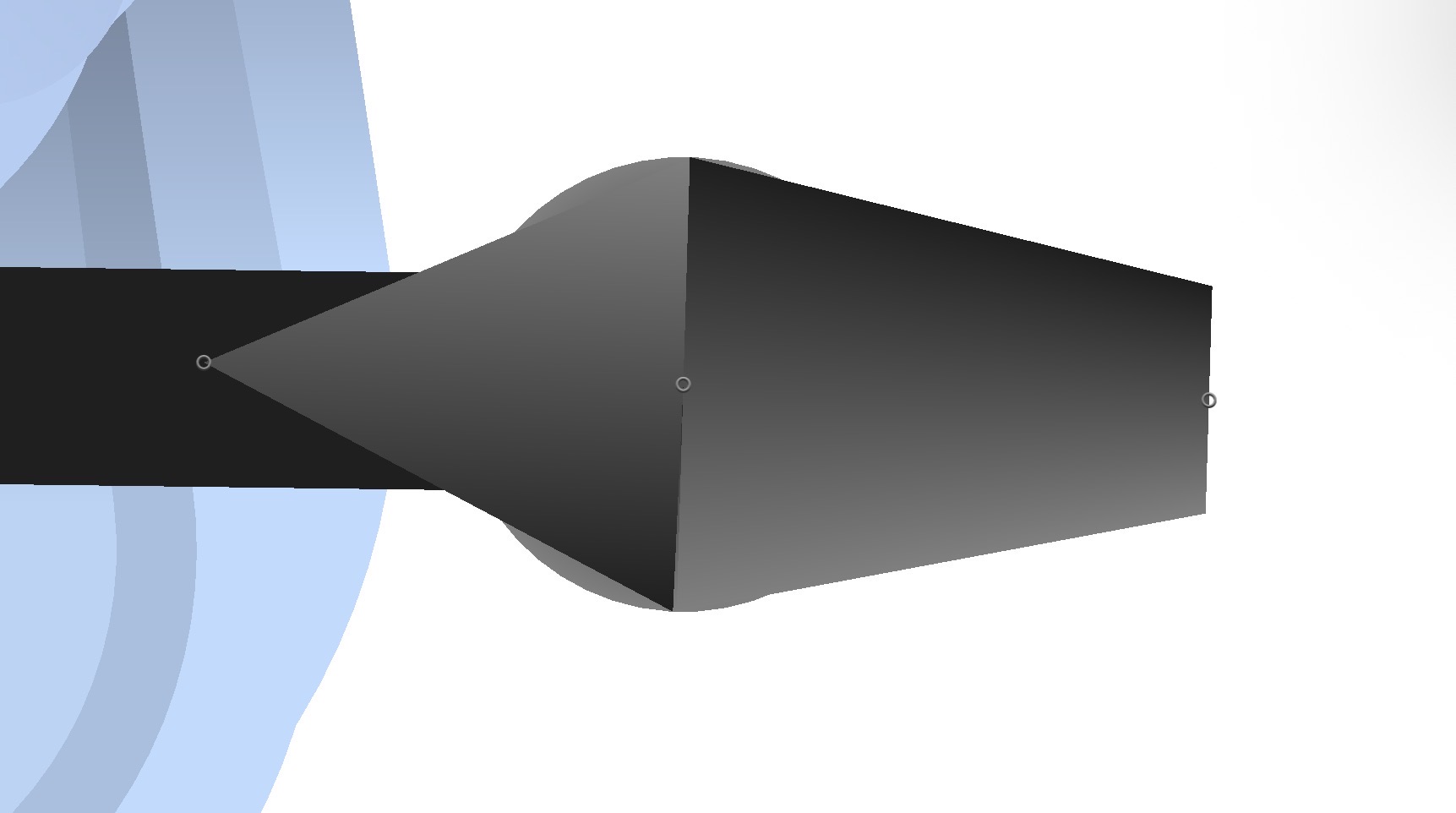
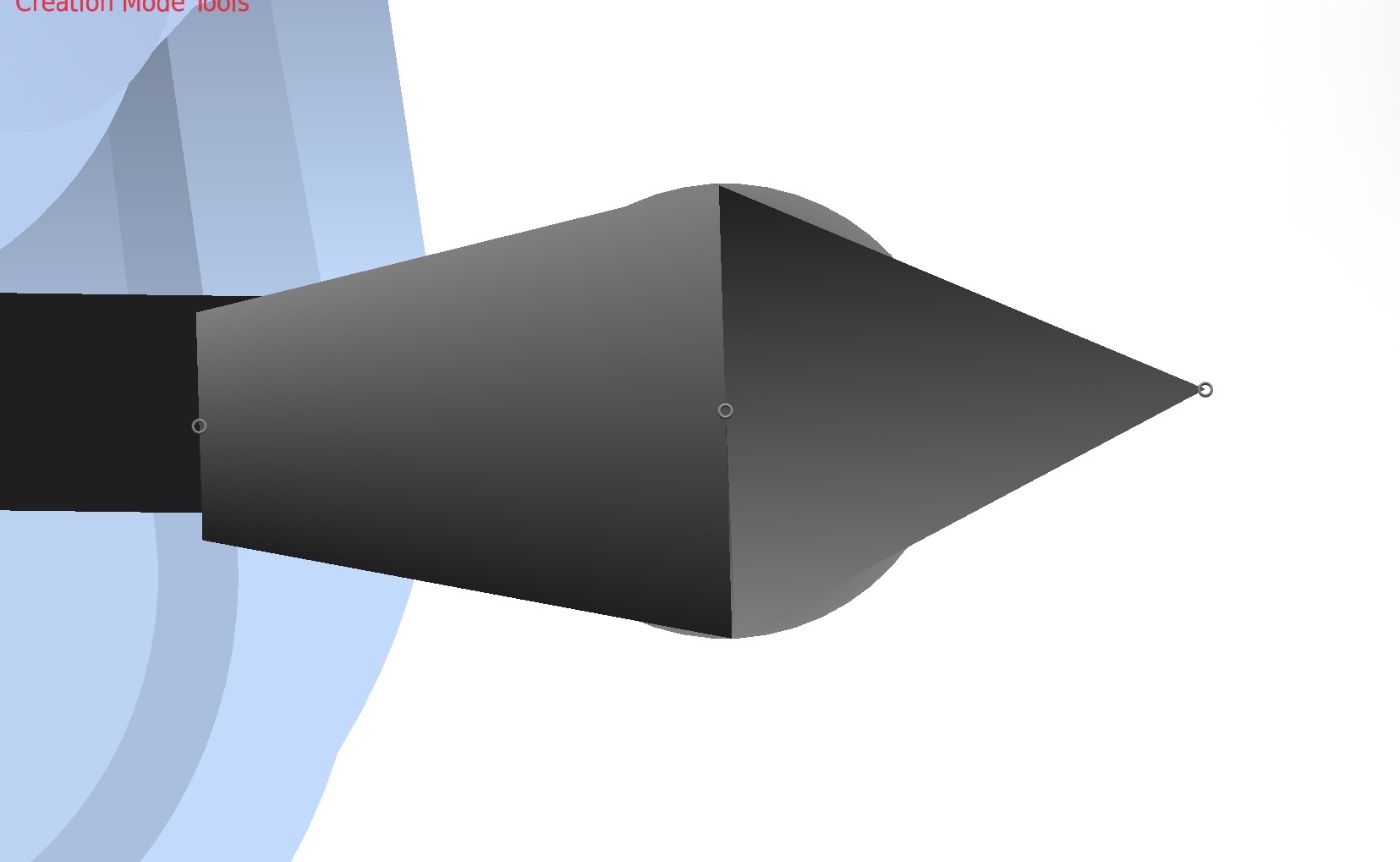
@ralph any figure that I make has this problem, it’s nothing exclusive to any specific figures or projects. It’s happening to both trapezoids and triangles, and it occurs when the node is gradiented and I flip either the segment or the figure as a whole horizontally.
Return to me if you cannot recreate this bug and I will send you a figure that’s experiencing this problem. As I stated, this isn’t specific to a figure or a project, and happens when I flip a gradiented node horizontally.
-
Replying to comment by:
It’s SO annoying because it’s not just exclusive to the editor. On my Breakloose post, his right arm’s fingers have fucked up gradients because of this bug. If I wanted to work around that problem, I’d have to open the editor, flip the figure, fix the gradients manually, and import it as a new figure.
-
Anyone else experiencing a bug where flipping a segment/figure horizontally causes its gradients to invert? It seems to only affect triangles and trapezoids.
@ralph fix now or I will destroy the west.
-
Replying to comment by:
It might be a little while until then. I’d say it could be a month or a little longer.
BUT!
Chapter 1 was only 13 pages. This chapter’s opening was 5 pages. If the previous chapter is any indication, we might not be too far from the halfway point of this chapter.
-
Replying to comment by:
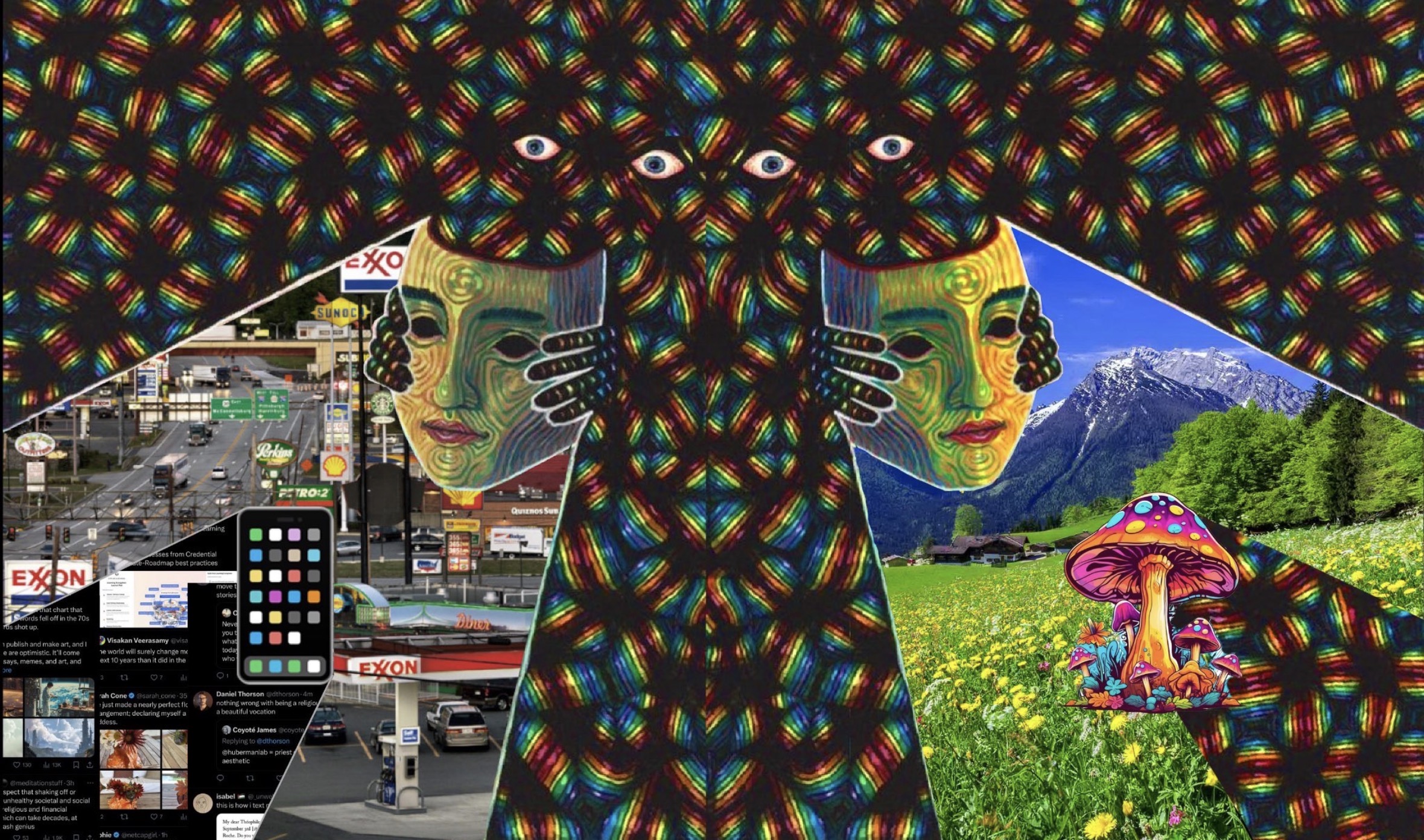
Through Bootlegsnake eyes this is how I see the world.
-
-

What in the Abysmal?
2026-05-24 02:47:03 UTC-
Replying to:
Through Bootlegsnake eyes this is how I see the world.
2026-05-24 02:50:50 UTC-
Replying to:
Consumerism vs Consuming Shrooms
2026-05-24 02:51:29 UTC
-
Just finished the scripting for CH2. I think you guys are gonna love this one.
It might be shorter than CH1 but it starts getting into the meat and potatoes of the story.
This will be a very human-centered chapter, but we will get PLENTY of Scout in CH3.
-

popcorn ready for whenever this comes out
2026-05-24 01:18:46 UTC-
Replying to:
It might be a little while until then. I’d say it could be a month or a little longer.
BUT!
Chapter 1 was only 13 pages. This chapter’s opening was 5 pages. If the previous chapter is any indication, we might not be too far from the halfway point of this chapter.
2026-05-24 03:06:33 UTC
-
Replying to comment by:

Evelyn’s elderly ass getting out of bed to print out a meme and leave it on the nightstand -
Replying to comment by:
You really did it this time…

-
Replying to comment by:

-
Replying to comment by:
Dude that looks fantastic. Good job!
-
Replying to comment by:

-
Replying to comment by:
Does it hurt when he wipes his ass with hands like those?
-
Replying to comment by:
That CANNOT be Ultra Magnus. That HAS to be Pipes 😭
- Load More


I hate this bug so much I’m gonna cry 😭
It’s SO annoying because it’s not just exclusive to the editor. On my Breakloose post, his right arm’s fingers have fucked up gradients because of this bug. If I wanted to work around that problem, I’d have to open the editor, flip the figure, fix the gradients manually, and import it as a new figure.
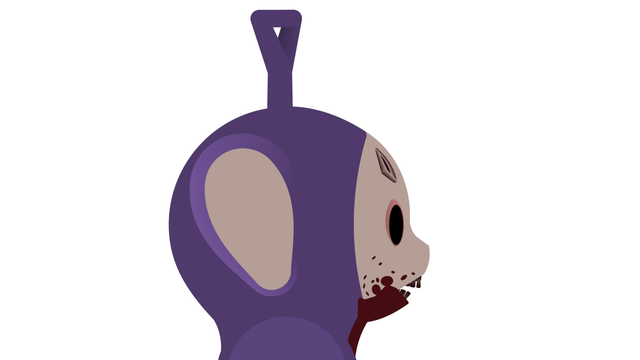
yep. It happens with the head wound on my tinky figure.

are you using 4.3.0?
i can’t get the flipping issue to occur with trapezoids like you’re showing here, only triangles
i only ask because the flipping trapezoid gradient issue was a thing in an earlier version
yes
can you send me that tinky figure because i can’t reproduce the issue with trapezoids
please and thank
“send files” it to [email protected]
ok
It has been sent.
just got it, thank you
and sure enough, there is the bug
the gradient on those trapezoids is somehow set to radial
i think the issue is you can’t cause this to happen in new SN, but since the files were saved like that, when they’re loaded in it keeps that incorrect property
i’ll just have to figure out the specific circumstance and now have it load in any segment that has itself incorrectly set to “radial” to not allow that regardless of what the file says
@boot2 btw i got it now so no need for the files
thanks tho
I’m glad you got it figured out. Sorry I couldn’t send my files sooner but I’m just happy it’s gonna be dealt with.
It’s almost like the app itself is trying to invent new gradient features. Maybe you should….y’know…maybe totally do that?
Check what sort gradient it is in the quick tools bar
Chances are it’s somehow set to radial
So change the gradient
with i assume 4.3.0?
this was a bug before but, i fixed it
what Ramage said though, somehow the segment/triangle has radial gradient probably through some wickid concoction of actions
@boot2 can you please send me an affected figure/project to [email protected]
im putting an update out in a day or so so i’d like the quickly fix this before that
@ralph any figure that I make has this problem, it’s nothing exclusive to any specific figures or projects. It’s happening to both trapezoids and triangles, and it occurs when the node is gradiented and I flip either the segment or the figure as a whole horizontally.
Return to me if you cannot recreate this bug and I will send you a figure that’s experiencing this problem. As I stated, this isn’t specific to a figure or a project, and happens when I flip a gradiented node horizontally.
are you sure with trapezoids?
i just tried and you’re right, but i’m only seeing it with triangles which makes sense bc the new update introduced new gradient for those and i done goofed a little
but trapezoids seem okay?
Try it with curved trapezoids?
yeah nothing
curved, with/without rounded edges
its gotta be a very specific use case i’m just not doing here
i might need a figure with this particular issue from you if you have one please and thank
Yeah I’ll send it over once I get back from work. thanks for investigating this issue
@boot2 thanks, no rush I understand you’re busy but the sooner the better
i want to upload this version tomorrow
i’m like 92.4% sure that trapezoids aren’t an issue in 4.3.0 though and that may somehow be a misunderstanding
(triangles are, and those are fixed rn for 4.3.1)
Yeah I think it’s the latest update because this wasn’t happening before the sprite skewing update.