



@enderbrine
Joined on July 18th, 2019, this user has been a member for 2,553 days and is the 22,450th person to register an account.
Has 0 submissions and to be honest, that's just sad.
Has made 0 comments on non-activity pages of the site. Alternatively, this user has made 15 comments on actual activity pages of the site.
This member is not a Users' Choice voter.
Show More
-
 Replying to comment by:
It looks amazing. Thank you very much.
-
How can someone share their stickfigure to someone else. I asked someone to do a stick figure for me (yes I am a noob at making stickfigures) then they asked how to send the stickfigure.
-
Replying to comment by:
If you finished it click on send files, select the stick figure and then you can send it to this email
[email protected]
(don’t wry it’s not my actual email) -
Replying to comment by:
Sideways would be good.
-
Replying to comment by:
Thx a lot
-
Can someone make me this girl. I need it for a school project.😜😜

-

On it. I’ll see what I can do. No “Russian” me around, eh.
Eh.
I’ll just go now.
-
Replying to:
Thx a lot
-
Replying to:
One question. Front or Sideways?
-
Replying to:
Sideways would be good.
-
Replying to:
Finished, how do I send it to stick nodes?
2019-12-11 20:43:09 UTC-
Replying to:
If you finished it click on send files, select the stick figure and then you can send it to this email
[email protected]
(don’t wry it’s not my actual email)
-
-
-
-
-

Greta Thumbberg:
 2019-12-11 18:25:41 UTC
-
-
How can I move a segment. Exmp: The segment on the foot is too close to the leg and I want to move it to the tip of the foot.
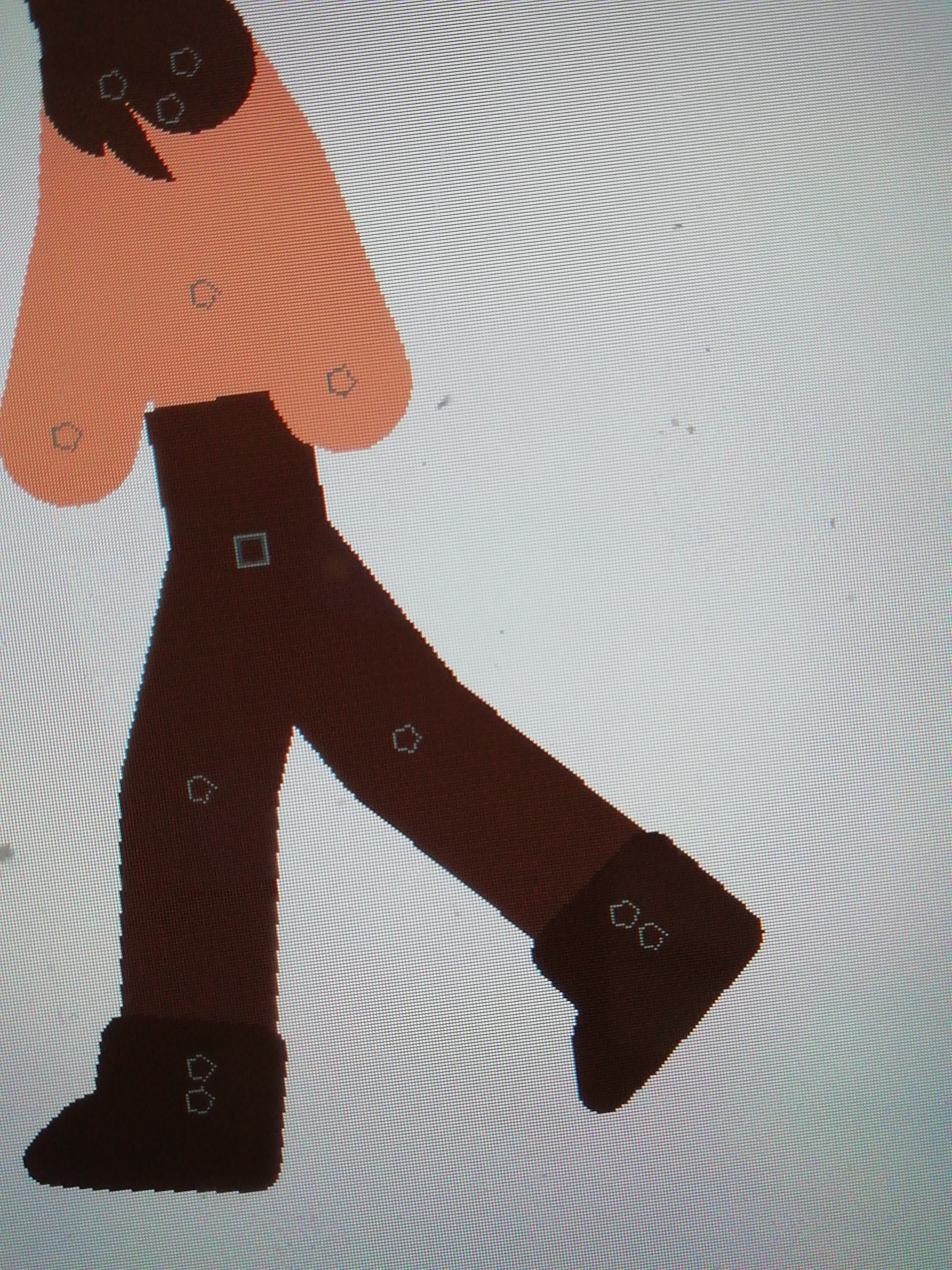
-

copy the foot, then delete it. After that, make a segment that distances the leg node. Then, make another segment that is close to the leg. and done. P.S: idk what I said
2019-12-08 11:37:34 UTC -

To be honest, it really isnt that bad. A lot of figures have this and I would recommend you just leaving it like that. Zooming in to move the foot isnt the worst.
But if you really want to change it. Make an invisible segment to the location you want the node to be in. Than add the foot
-
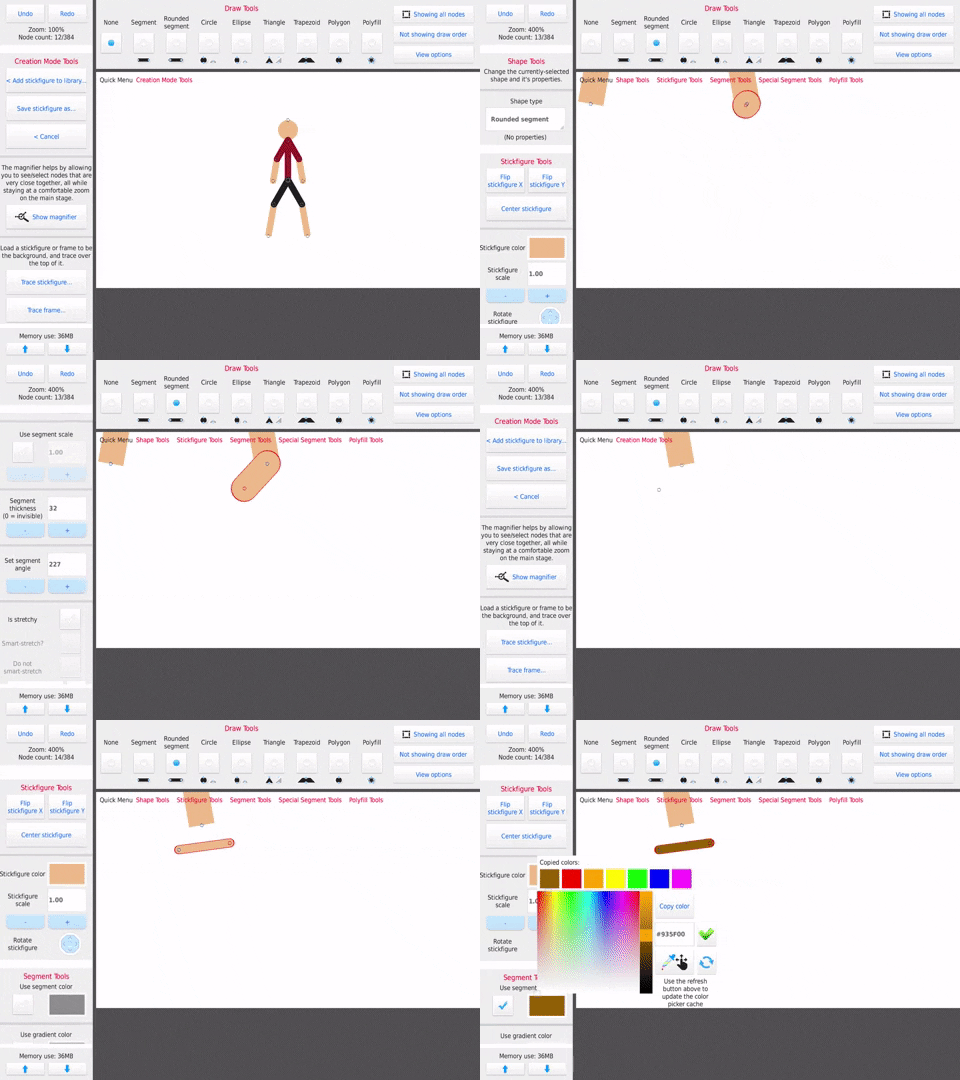 2019-12-08 13:52:15 UTC
-
-
-
How do I make the screen effect better?
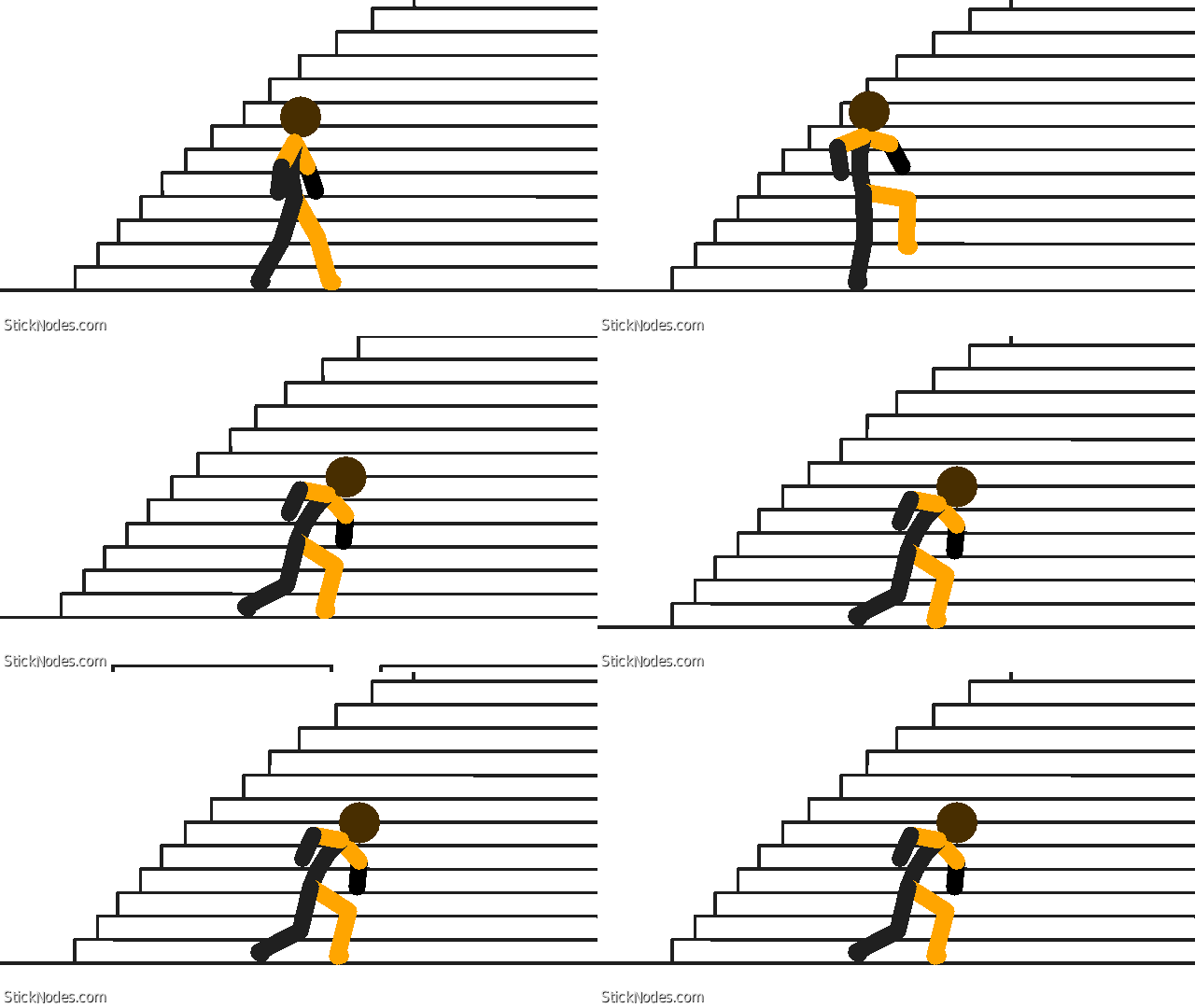
-

Have the shaking get less shaky, so it starts like that but it gets less intense until it stops moving
2019-12-06 18:18:42 UTC -

I’m a stickler at this…Do…Not…Like…Your own…comment
Also, the shake is a bit to quick and seems to stop not giving it much effect, draw it out a little, but make it intense at the beginning and less intense towards the end
2019-12-06 18:46:15 UTC -
Hmm I like it. And nice stick. You should shake the camera longer. So start extremely exagerated and make it normal.
2019-12-10 20:36:37 UTC
-
Replying to comment by:
Me:Noob
Literally everyone else on the world:God at animating -
Replying to comment by:
Cool. Thanks!
-
Any story ideas for an animation? I got nothing. Only two character fighting ideas.
-

“Hey Brian, did you eat my sandwich?”
“..urm.. ..No..”
brian nervously hides the sandwich
“But I see it right there next to you and you’re currently holding it behind yourself.”
“No, I’m not!”
“Yes you are!”
“No, I’m not!”
“Yes you are…! ..uh, let me see your right hand..”
brian fucking runs
they eventually get into a one-one brutal fistfight that eventually leads up to nuclear warfare
the end. you’re welcome.
2019-09-01 16:42:23 UTC-
Replying to:
Cool. Thanks!
-
 Replying to:
I thought you were saying brain. Lol
2019-09-01 17:28:35 UTC
-
Jake “Its time for your reign of terror to end!”
Blake ” Nevveer!!!”
Blows jake out of the building
Jake flips on the ground to avoid debris.
Start 🙂
-
-
I really can\’t understand the \’Create new stick figure\’ option. How can I make a shooting effect? Like from a gun. Wish there was a paint option.
-
You ask me, the effect guy.
Thats how you get an effect.
Well, how you really do it, is you use a sprite sheet of an effect and trace over each separate sprite in the right order and save them as separate stickfigures like I do. Than you import them for each separate frame and voila, you have your effect as an animation.
-

Multiple ways to do it, you can even create stick in a way where you can morph it on the go.
But best bet for guns is using effects available on the site since there are quite few good ones.
Though when it comes to creating stickfigures you just add new segment to a joint, set some parts to be not loveable during animation (static), then you’re pretty much finished. Kinda like pivot. But like, you can add colour to invidual segments.
2019-07-20 19:39:20 UTC
-
-
Replying to comment by:
That looks really good.
-
Replying to comment by:
OMG That really helped! Thx.
- Load More


You can ask for their email and use the submit stickfigure button located beside the download stickfigures button and tap gmail or email submission after you have selected the stickfigure you want to submit. ^-^
it’s an alternative. the normal way is using the send files button. Submit figs is mostly sending figs to ralph, asking to post the figs in this site’s page.
Oh yeah. Thanks! ^U^