
-
@ralph whatever you’re doing with this 2.2.0 business, you’re messing it up real bad when it comes to glitches!
So today I’ve spotted 2 more (look at me, I’m like a beta tester but after launch), these being the following:
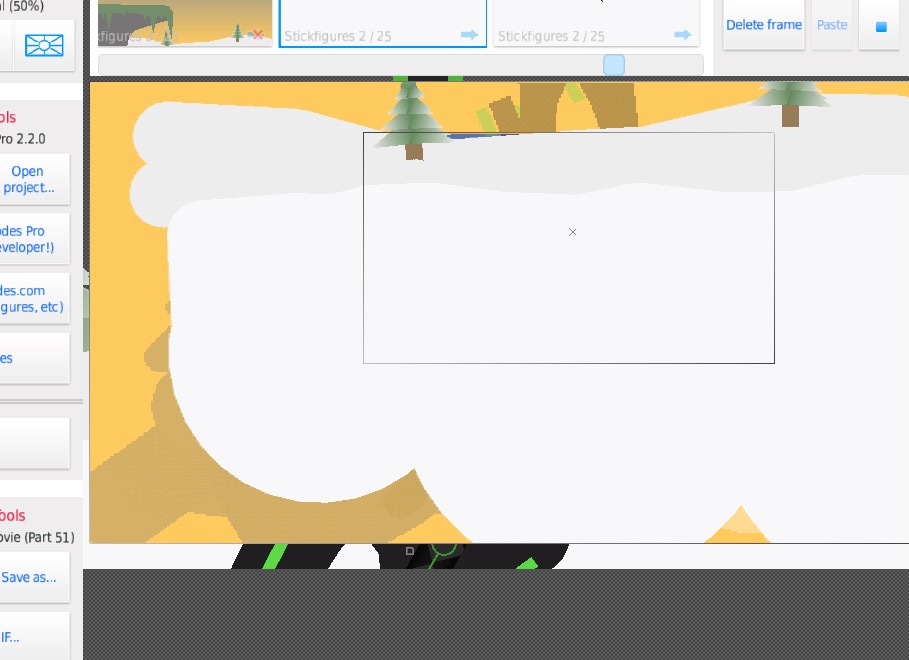
Screenseption: though there seems to be no trigger, at a random point the app will suddenly display a random part of your animation outside the border while you’re on a completely different frame and there is NO way to stop nor prevent it, it’s hard to describe so you’ll have to consult the pic.
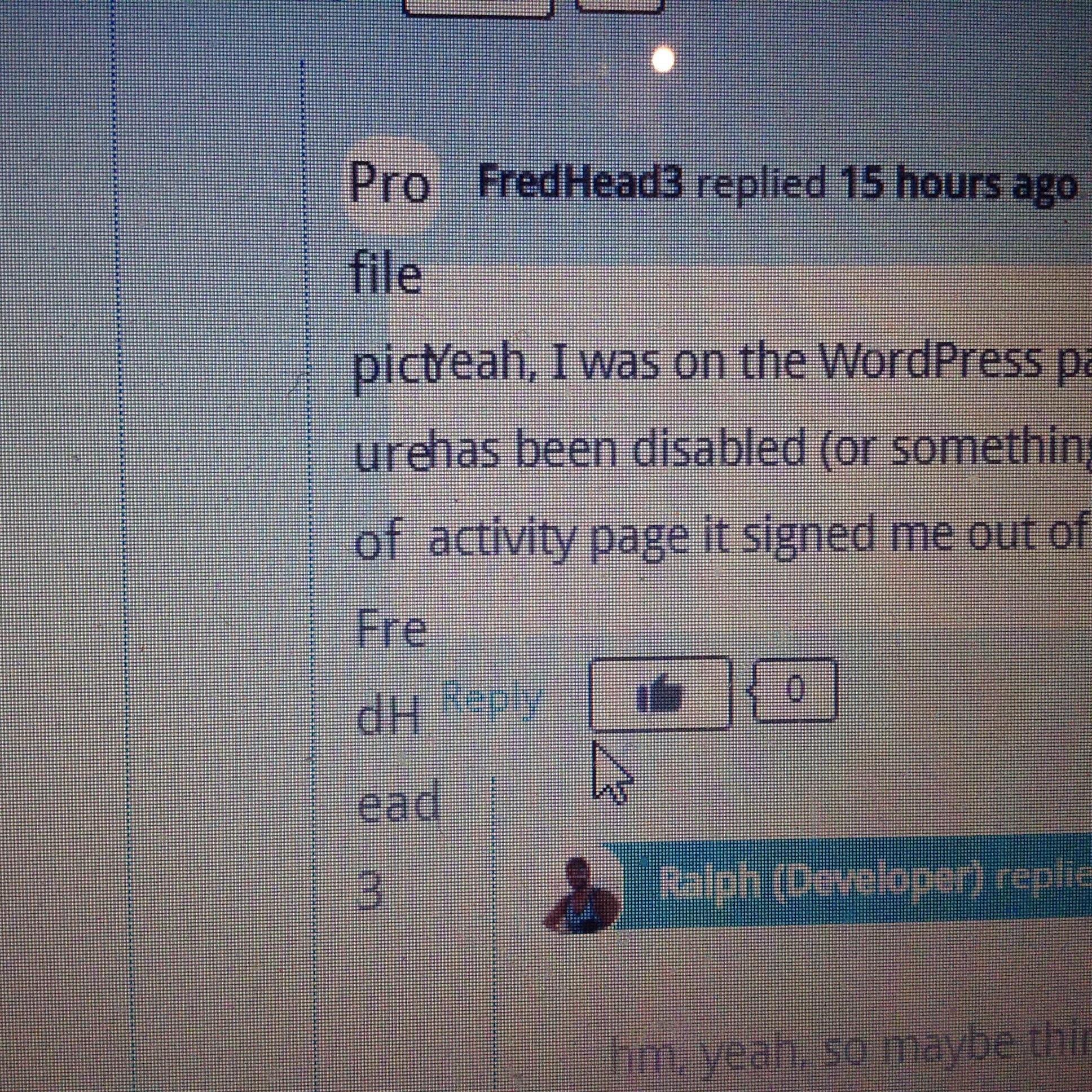
Glitching profiles: this one is on the site. So far I’ve noticed 2 users have had their User images removed and replaced by a long message that leaks out of their profile box, making it hard to read the next post.
Though i cannot say the user image problem is a colossal catastrophe, what i can say is that I advise you crush whatever bug is causing the screen-within-a-screen problem with a quick bug fix. (Remember bugs are Node Spawns, just imagine you’re happily running around their hive slamming a massive hammer in their ugly faces)
Stick Nodes®
A stickfigure animation app created for mobile devices!
Create your own stickman animations on your Android or iOS device!


okay number 2 first
2) okay I see, the image isn’t loading (does it if you refresh?) and instead the alt text is shown, I can prevent it from overflowing though with some css so no biggie
1) someone else reported that too, I’ve yet to have time to sit down and go through crash reports, though this isn’t a crash so I have to somehow recreate it…is there any way you can make it happen and be able to relay to me what you did? Maybe you added a blur, then zoomed in and zoomed out and it happened? Etc…
I’ll check myself soon, probably tomorrow
k fixed the image thing, though you may still have the old css cached so unless you clear cache or wait some time you won’t see the fix
k bye
User Banned
From what i know, there’s no way to start the glitch, it’s like the Demon in the way that it’s occurrence is seemingly Random
there’s always a way
*motivational music*
User Banned
Just faff around on the app for an hour or two and before you know it, it’ll be triggered, though i do believe it may have to be induced but however it is, i think it can happen in the creation part too
lmfao hour or two
AIN’T NOBODY GOT TIME FOR THAT
but I’ll try in a minute
man I’m just applying filters moving everything, zooming, playing, etc, can’t get it to happen
is there a blur or something on that frame?
vert/hor or both?
or no blur?
I just feel like blur is somehow the issue, a combination of that and something else
User Banned
I’ve noticed it to be more common with when a figure covers the WHOLE screen (so a background.nodes)
User Banned
@ralph
And you haven’t used Blur either
hm, that’s what I think I noticed too in the 2 screenshots I’ve seen of the issue (large stickfigures)
and you mean you haven’t used blur?
I assume a filter is somehow involved in the frame in question, but it’s entirely possible its unrelated to filters
will keep trying
User Banned
oh and by the way here’s a bonus glitch, the nodes seem to lock in a certain direction if you try to turn them very carefully. it’s a real pain when making minor adjustments
are you talking about the lock-to-axis feature?
only when dragging a main node/textfield/or camera (or when adding a node in create mode)
if you drag in a straight-ish line, it snaps to that axis unless you break away from it
will have an enable/disable for it in next update
User Banned
@ralph that update better be sharpish
Have you seen my sonic vs sonic exe movie
User Banned
no, i’m not that interested in Sonic