



@funny132


Joined on September 4th, 2017, this user has been a member for 3,203 days and is the 2,363rd person to register an account.
Has 16 submissions, the first one uploaded on February 26th, 2018 and the most recent on November 26th, 2021.
Of those, 2 have been featured and 1 has won Users' Choice.
On average, each submission earns 8,061 downloads.
In total, they have been download 128,981 times.
Counting every individual stickfigure, including the contents of all packs, this user has technically made and submitted 68 stickfigures.
On average, when this user rates stickfigures, they are 87% positive.
Also, they are typically 100% positive when rating animation spotlights.
Has made 117 comments on non-activity pages of the site. Alternatively, this user has made 1,238 comments on actual activity pages of the site.
They have visited the site consecutively for 1 day, their best streak being 52 days. On average, they post 0 updates and 0 comments per week.
This member is not a Users' Choice voter.
Show More


-
-
Hasn’t quite been a quarter of a year yet, but @ralph I got a bug to report.
Basically, when you Break Apart a movieclip on a frame that contains figures with the Lock Node Position (or whatever it’s called) on any of its nodes, it’ll go back to the position it was at in the movieclip rather than where it should be on the workspace. I’ll attach some images to help you understand what’s going on.
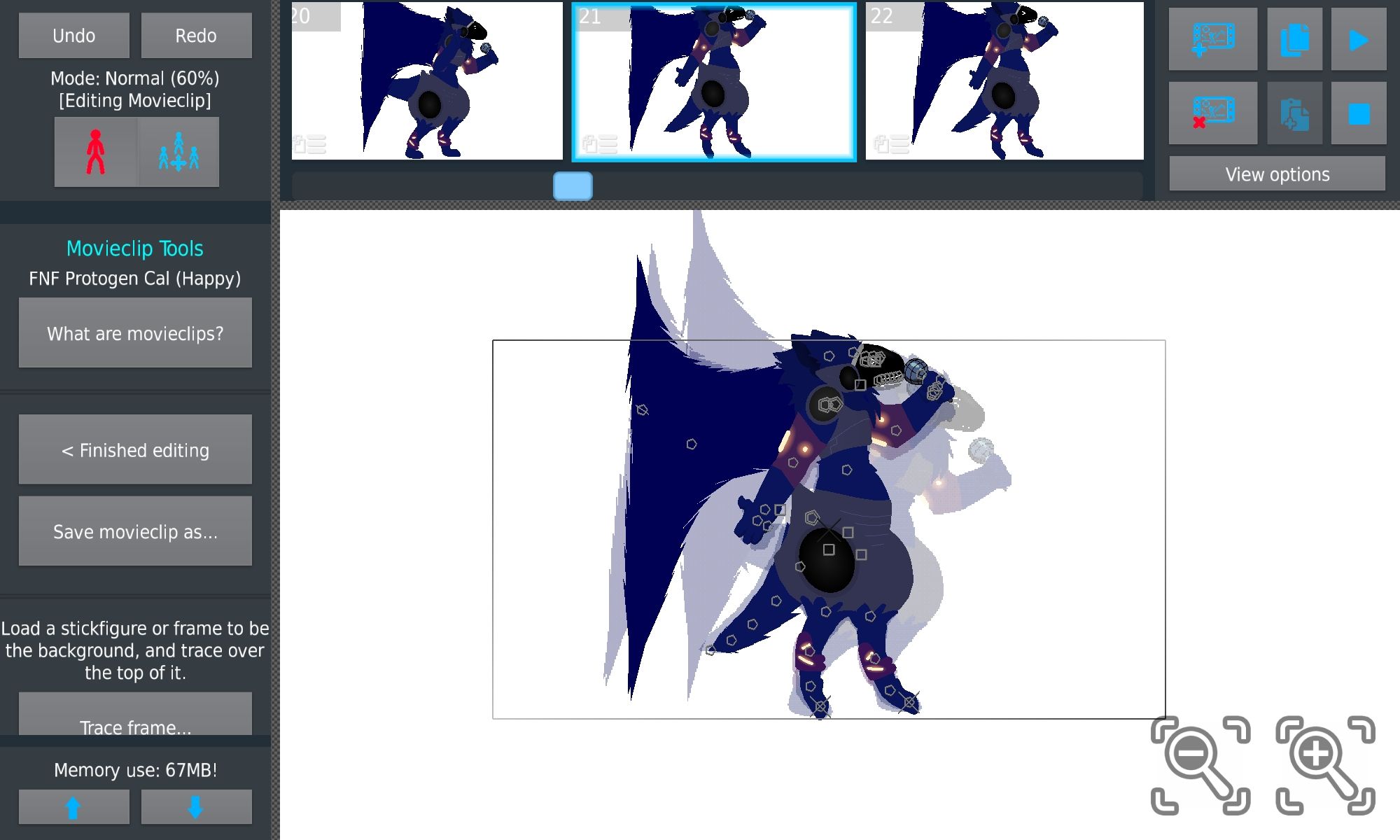
Original frame

Note the locked nodes
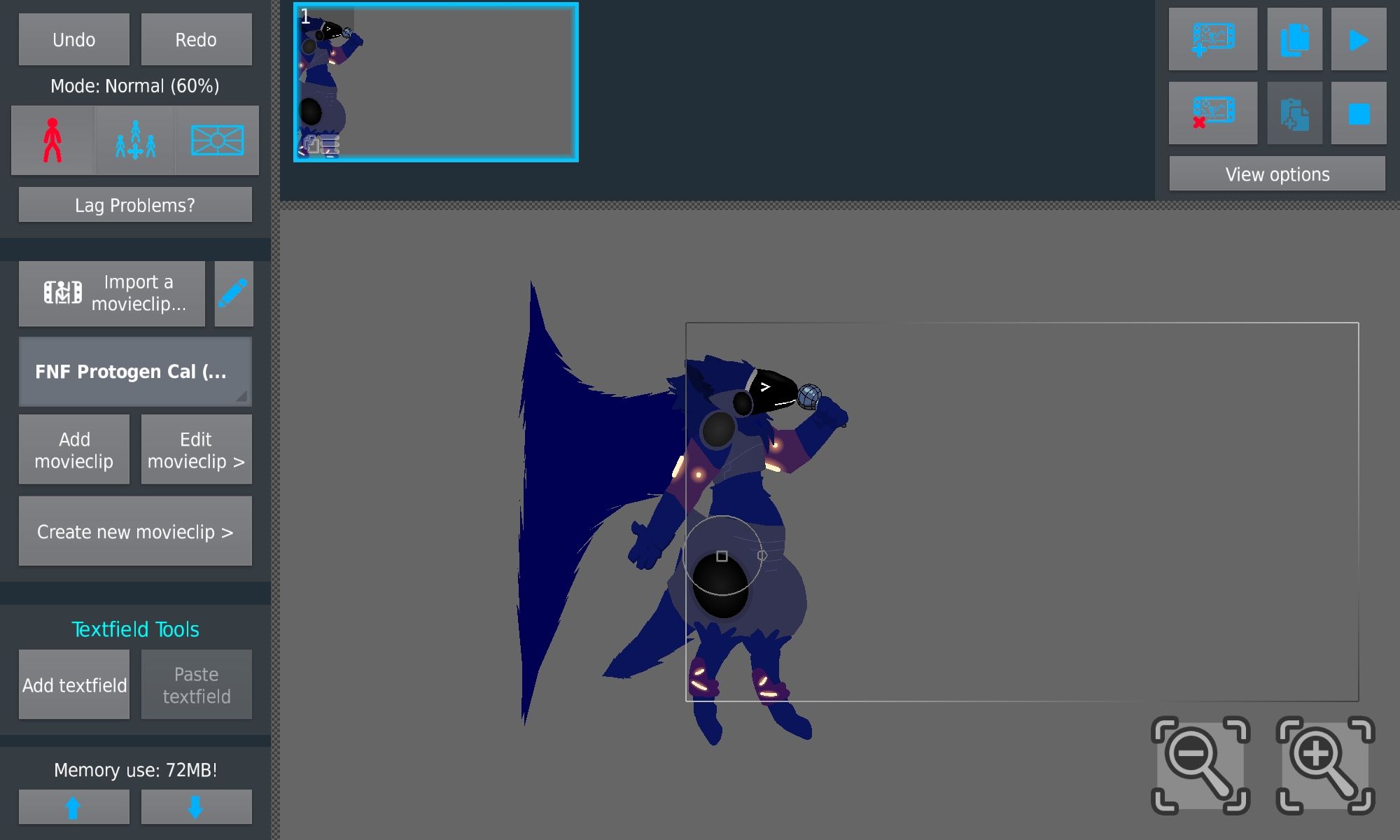
This is the frame in the Workspace
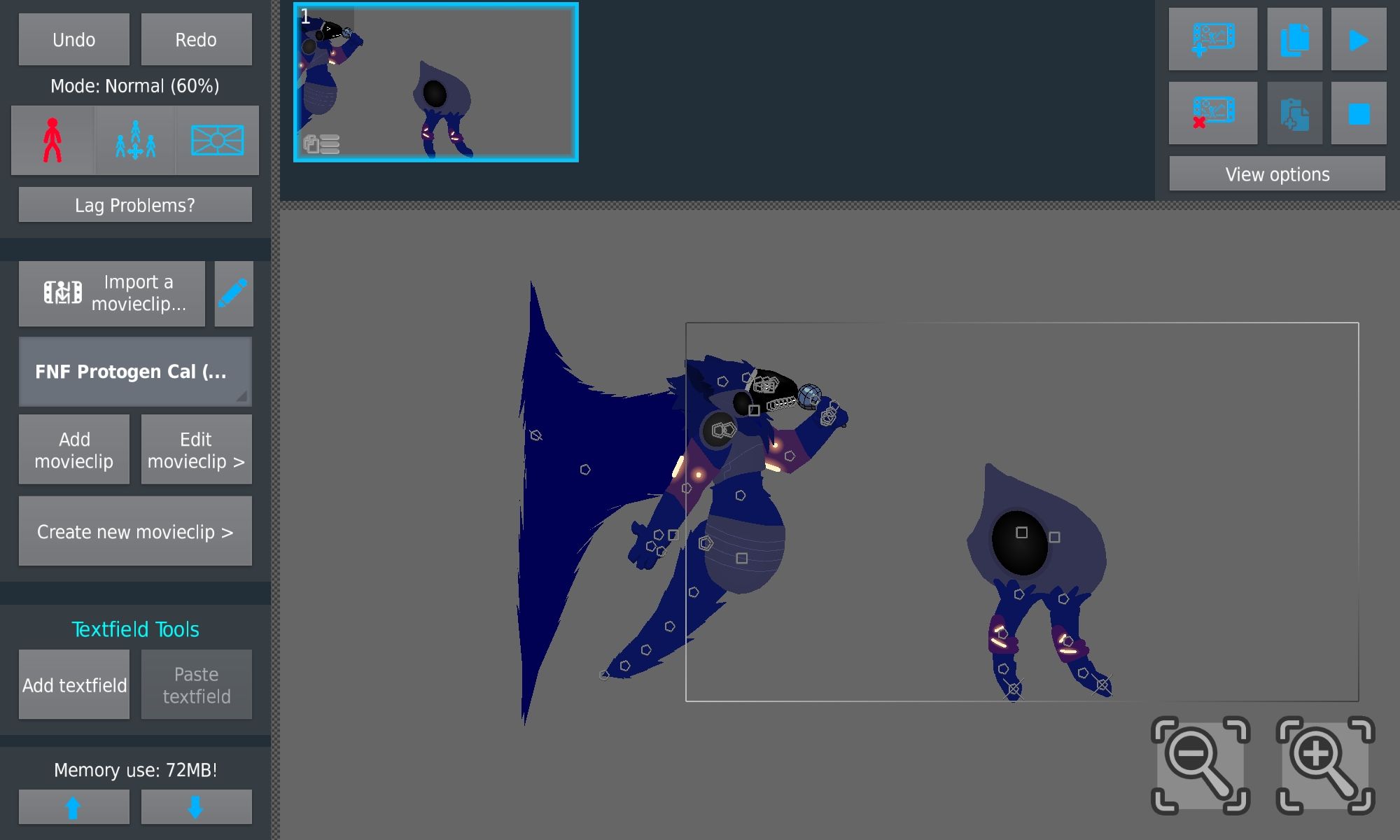
I hit break apart and this is what happened.
On another note, regarding the movieclip auto-deletion, if it is coming, would you say it’ll be coming in a minor update after this one, or will it be included in a later major update?
-

What’s movie clip auto delete
2022-03-17 06:23:34 UTC -

first off thank you for this overly-detailed report lol, it is appreciated
will fix this in next update, interesting bug
auto-delete is unfortunately more involved than you would believe (user adding/deleting frames, the MC has to know and re-add itself to certain frames in proper layering – what about joining itself to other figures – how does this affect node counts or undo/redo actions, etc…) so, I can’t say yet
i wanna get minor updates out quickly for fixes so don’t wanna delay with new stuff that may take time
2022-03-17 11:07:00 UTC-
Replying to:
also cc @darkboyanimation i wonder if this is the bug you showed me a while ago, but it didn’t seem to have a locked node in the project you sent me
ps fixed in 3.3.1
2022-03-17 20:10:53 UTC-
 Replying to:
Yes indeed it was the bug i showed you but without the lock or maybe i did actually added the lock and then removed it afterwards, I do feel like the bug is caused by the lock node feature but that might be just me.
-
 Replying to comment by:
Good to know that the movieclip auto-deleting may be added. Here\’s a video on one of the ways I\’ve managed to consistently replicate the bug:
-
Replying to comment by:
It\’s a username I thought up when I was like 5 and I still cringe at it to this day. If I could, I would go back in time and slap past me. Hard.
(Note: I thought up the username a good while before I created my account. I\’m not 9 years old, I\’m a lot older than that)
In all seriousness, what\’s the status regarding the bug, and how likely is the suggestion to be added in?
-
Replying to comment by:
I\’m Wingidon, a random guy on the internet who enjoys animating, playing games and watching YouTube. Call me Wing for short if you want.
(also, holy crap that was a recent reply, I literally posted that 3 minutes before you replied to it)
-
Well, well, well, hasn\’t it been a while? Quarter-yearly post time. This time, I have a bug report and a suggestion for @ralph
First off, the bug report. This seems to happen most commonly when animating in movieclips at 15 FPS with 1 tweened frame. When you move a figure and add a frame or, basically just try to animate a movieclip normally, sometimes to tweened frame doesn\’t register the change so when playing it back, it ends up flickering between the original position and the actual position. This only appears to happen in the movieclip editor and not the main workspace, which is odd. In case it\’s device-specific, I\’m on a Samsung Galaxy Tab A7.
Next up, the suggestion. I think that, if a Movieclip is set to Play Once, there should be a checkbox option underneath that (only available to check on the Origin frame just like the Play Once and Loop checkboxes) to have the movieclip automatically delete itself when it reaches its end. This would be useful for many things such as effects, as rather than having to go through and delete them afterwards or just having a bunch of blank movieclips now laying around, they just auto-delete. Same goes for things that would be part of a game\’s UI (such as a movieclip of text [using figures] that says, for example, CRITICAL, popping up for a second or two) to get rid of it and save nodes at the end. This isn\’t required, just a sort of QoL thing.
-
![Profile picture of [Abandoned]](https://sticknodes.com/wp-content/themes/dw-minion/assets/img/wpsn/default-avatars/03.png "[Abandoned]")
who u
2022-03-03 20:29:33 UTC-
Replying to:
I’m Wingidon, a random guy on the internet who enjoys animating, playing games and watching YouTube. Call me Wing for short if you want.
(also, holy crap that was a recent reply, I literally posted that 3 minutes before you replied to it)
2022-03-03 20:32:16 UTC-
Replying to:
taco bell chicken Wing
-
 Replying to:
That one guy who does a post on average every 3 months with mainly bugs to report.
Also to Wing, people commenting on posts a few mins after it’s made isn’t super uncommon2022-03-03 21:12:26 UTC
-
for someone whose name is “funny” this post was anything but
-
Replying to:
It’s a username I thought up when I was like 5 and I still cringe at it to this day. If I could, I would go back in time and slap past me. Hard.
(Note: I thought up the username a good while before I created my account. I’m not 9 years old, I’m a lot older than that)
In all seriousness, what’s the status regarding the bug, and how likely is the suggestion to be added in?
2022-03-04 07:43:25 UTC-
Replying to:
haven’t experienced the bug yet, will try to get it to happen when im back at my PC but im not quite sure i understand what im looking for exactly
if you can video capture it that’d be much appreciated tho
as for the movieclip deleting, mayhaps, its a good idea and shouldn’t be too hard to implement
-
Replying to:
Good to know that the movieclip auto-deleting may be added. Here’s a video on one of the ways I’ve managed to consistently replicate the bug:
2022-03-04 19:47:01 UTC-
Replying to:
first off lol @ the vid
looking at this now and trying to figure it out
tweening is in fact acting weird in my testing now trying to replicate this, seems to be when it’s 1fps but i can’t seem to see the root cause yet
who coded this bullshit
-
Replying to:
fixed it, it does only happen with MCs, and only when 1fps
weird bug but thx yo
-
-
-
Replying to comment by:
no problem yo, appreciate the bug fixes.
now all you need to do is figure out how to release the update, then you\’re good
-
-
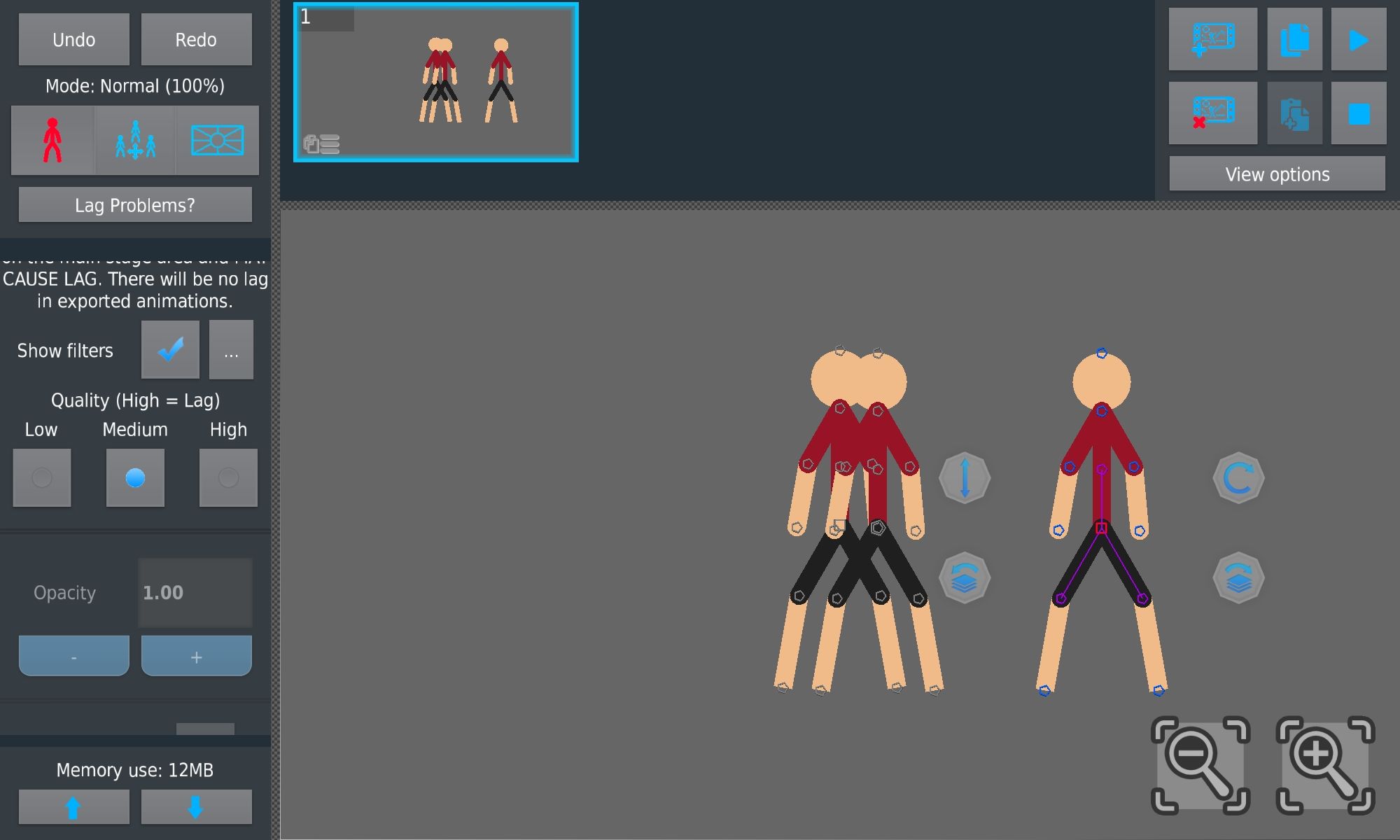
Alright, quarter-yearly post time! So, @ralph remember that bug I told you about regarding the Use Join Parent Filters button? I’ve worked out a way to consistently replicate it.
1. Join a figure (figure A) to another figure (figure B)
2. Enable “Use Join Parent Filters” on Figure A
3. Copy-paste Figure A and move it somewhere
4. You now have your glitched figureAlso, new site decor, rating: 10/10, the Protoge– the Wingidon approves
-
thanks yo, i fixed it already
of course, the next step is to release the update containing the fix
that part i haven’t quite figured out yet
-
Replying to:
no problem yo, appreciate the bug fixes.
now all you need to do is figure out how to release the update, then you’re good
-
-
Replying to comment by:
Man didn\’t even bother to rename figs
-
Yo, uh, @ralph take a look at this.
Pack A:
http://sticknodes.com/sticks/flash-style-blood-spurt-pack-zip/
Pack B:
http://sticknodes.com/sticks/blood-pack-6-zip/As people in the comments of Pack B have pointed out, the submitter of Pack B has stolen every figure of that pack from Pack A.
Here, you can see the original.

Here, you can see the stolen.

-
Man didn’t even bother to rename figs
2021-09-19 05:44:25 UTC-
Replying to:
you can tell its stolen cuz the thumbnail is low effort
2021-09-19 06:22:00 UTC
-
thx m8, appreciate it
just can use the report button on the stickfigure page tho in the future
2021-09-19 13:37:57 UTC-
 Replying to:
bruh, i like, posted the same exact thing like 10 hours ago
2021-09-19 14:13:41 UTC-
Replying to:
thx @ you as well but srs
just the report button on the stickfigure page
it’s not instant but i’ll see it and then snappage will occur if necessary and also occifer badge
which you already have but still
-
Replying to:
yeah i already got my occifer so i used my alt to report it.
Hey gottem
-
-
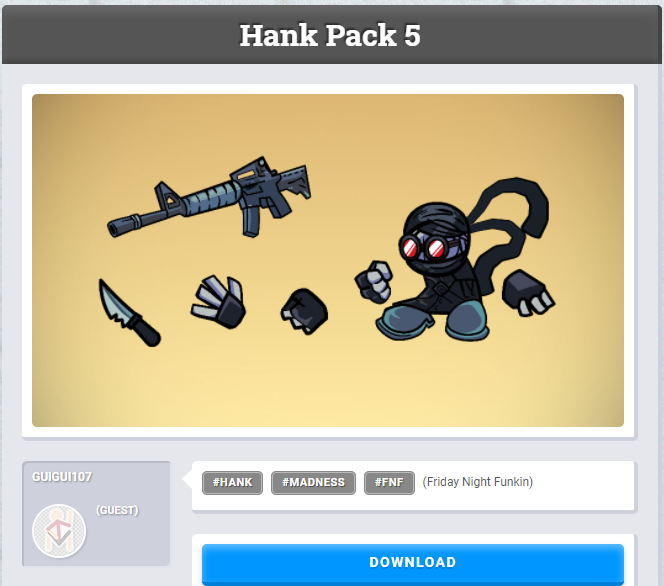
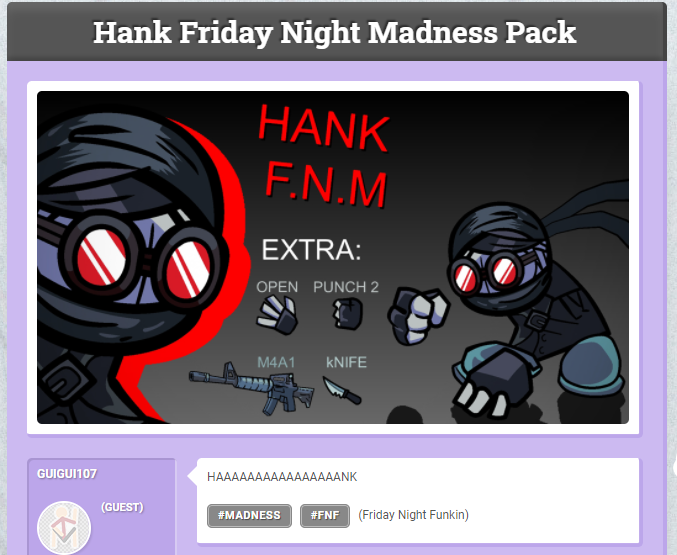
And it’s not even been a day yet but Guigui may or may not have posted the same pack twice.
-
snapped
also this is a great study on the effects of a custom thumbnail on votes
2021-09-11 01:13:00 UTC-
 Replying to:
Hmm
-
Replying to comment by:
np
-
Replying to comment by:
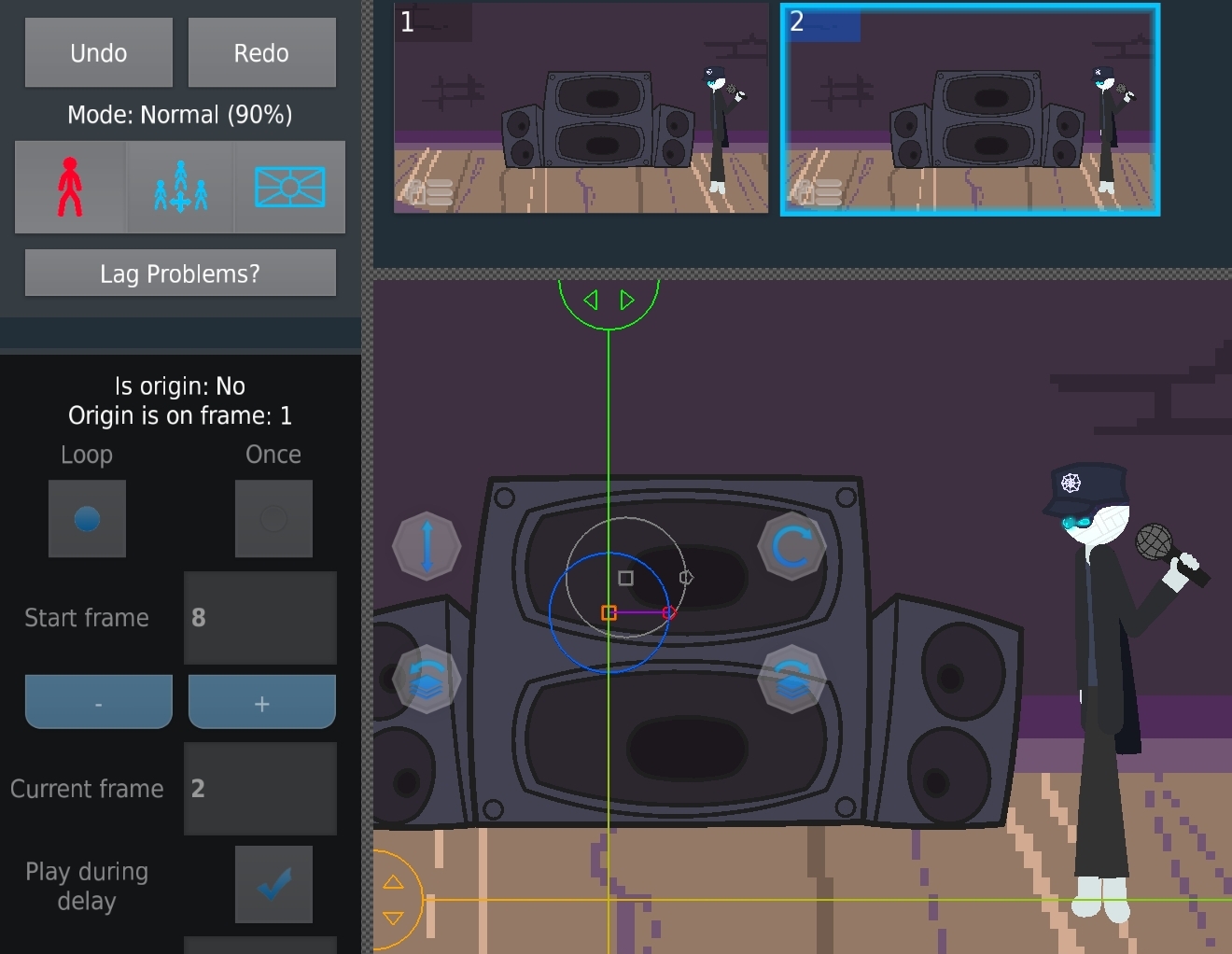
I don\’t think you read the text in the post. Look. Logically, the movieclip is on Loop. Movieclips loop back to frame 1, even if Tween Loop Protection is on. This movieclip has looped back to frame 2 instead of frame 1.
-
And again, it hasn’t been a quarter of a year, but @Ralph I got a bug to report. It basically goes like this: This movieclip has 8 frames. It is set to Loop and told to Start On Frame 8. This project has 2 frames. This movieclip continued straight to its own Frame 2 and skipped Frame 1 for some reason.
-

That’s not a bug that’s how movie lips work-
2021-09-10 21:32:45 UTC-
Replying to:
I don’t think you read the text in the post. Look. Logically, the movieclip is on Loop. Movieclips loop back to frame 1, even if Tween Loop Protection is on. This movieclip has looped back to frame 2 instead of frame 1.
-

User Banned
Replying to:I might not use move clips that much but I’m pretty sure that’s how it works I don’t really understand what u mean what so ever
-
-

what
-
What
That’s how movie clips work??
Explain this better I don’t understand -
what frame is “current frame” for the mc on frame 1?
it should be 1, since on frame 2 “current frame” is 2
as for why it says “start frame: 8” that’s odd
can you reliably make this happen all the time?
-
Replying to:
interesting, i see it now in the app
if you set the start frame to the last frame, the MC skips frame 1 when it goes to the next frame
weird bug, surprised nobody has found it before this
thx
-
Replying to:
np
2021-09-11 00:45:06 UTC
-
-
- Load More


