I saw your older posts node count and I think that you could really cut down on nodes. It was at 250 earlier, so I presume it’s higher now, but I think it can be cut down.
The outline I presume was maybe 100 at most, so I’m guessing the way you filled in the character was what made the node count so high. Which in that case my advice would be to use ellipses, roused segments that curve, circles, etc.
I think that could defiantly allow you to keep all this detail, while reducing the node count a ton.
Overall, I like the look of it regardless though. I think that just filling in figures, at least this one, is holding back the figure a little, as the recourses can be used else where.
Replying to:Humble DamienI saw your older posts node count and I think that you could
I always wanted to stop making outlined figs so it can be more easier to use effects on it like smart stretch and others
Im filling the spaces using first big segments or circles but obviously there will be spaces to fill up and in most of cases i couldn’t use any other shapes than segments and triangles
Maybe ill remake this fig without outlines so it can be more flexible (this was my plan from the start)
Replying to:JLKeem16I always wanted to stop making outlined figs so it can be mo
I’ve actually just started testing Flame with smart stretch to see how it works, and it actually had some good results. It’s not perfect, but the fixes needed so far are really minimal. I personally outline my figures by coping a node, increasing its side a bit, then sending it to the back. Then overlapping it with another outline it need be. That just so happens to keep everything together. So it is possible, but you may need to change how you outline to do it.
In the case of how you fill in the figure, in that case I’m not sure why it would be so big node wise. I’d really have to see the internals to figure it out and give more accurate advice then.
Finally, I would be curious to see how you make figures without outlining. Defiantly could be the right path forward.


 2023-08-31 20:39:38 UTC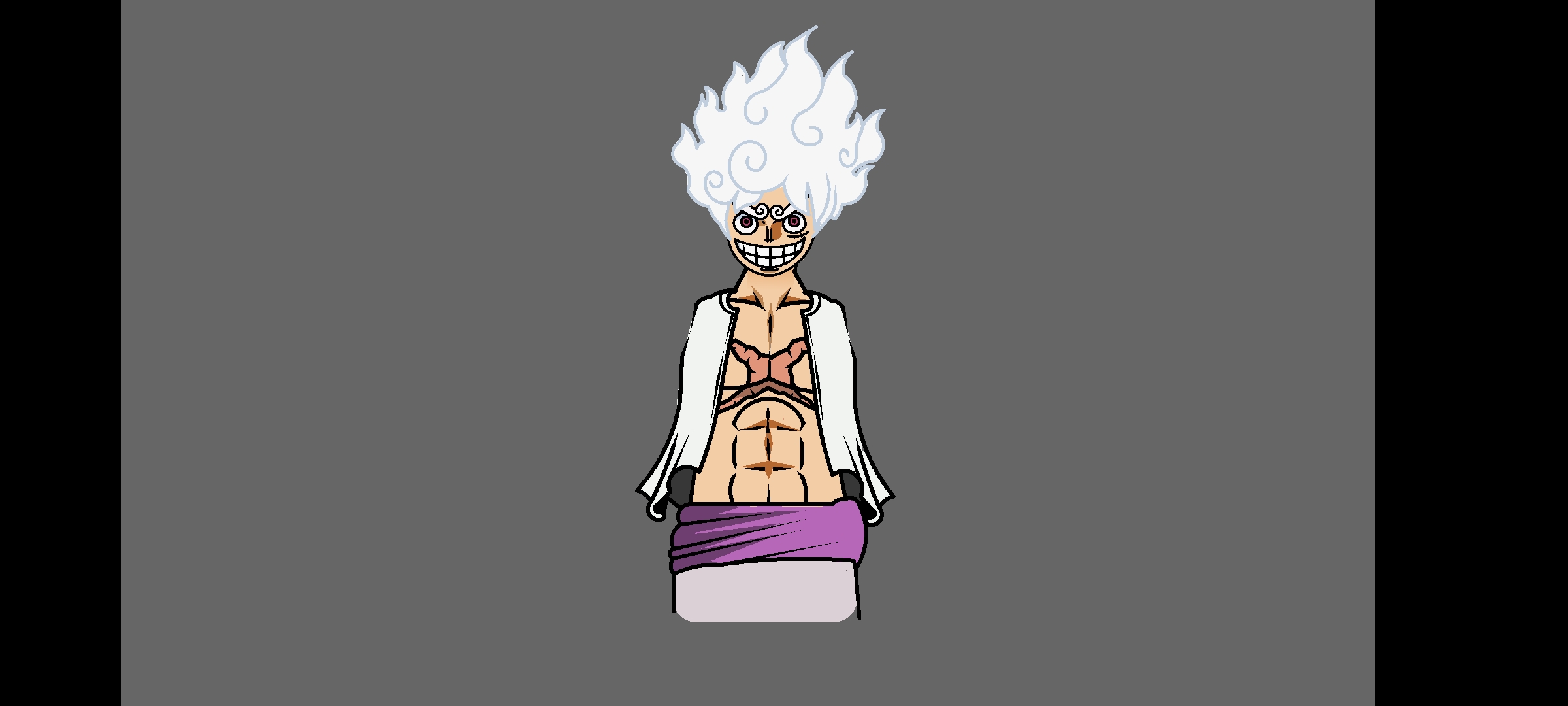


Lufffyyyyyyyyyyy
Geaaaarrrrrr 5thhh
Detailed
I saw your older posts node count and I think that you could really cut down on nodes. It was at 250 earlier, so I presume it’s higher now, but I think it can be cut down.
The outline I presume was maybe 100 at most, so I’m guessing the way you filled in the character was what made the node count so high. Which in that case my advice would be to use ellipses, roused segments that curve, circles, etc.
I think that could defiantly allow you to keep all this detail, while reducing the node count a ton.
Overall, I like the look of it regardless though. I think that just filling in figures, at least this one, is holding back the figure a little, as the recourses can be used else where.
I always wanted to stop making outlined figs so it can be more easier to use effects on it like smart stretch and others
Im filling the spaces using first big segments or circles but obviously there will be spaces to fill up and in most of cases i couldn’t use any other shapes than segments and triangles
Maybe ill remake this fig without outlines so it can be more flexible (this was my plan from the start)
I’ve actually just started testing Flame with smart stretch to see how it works, and it actually had some good results. It’s not perfect, but the fixes needed so far are really minimal. I personally outline my figures by coping a node, increasing its side a bit, then sending it to the back. Then overlapping it with another outline it need be. That just so happens to keep everything together. So it is possible, but you may need to change how you outline to do it.
In the case of how you fill in the figure, in that case I’m not sure why it would be so big node wise. I’d really have to see the internals to figure it out and give more accurate advice then.
Finally, I would be curious to see how you make figures without outlining. Defiantly could be the right path forward.
clown goku ultra instinct?
Exactly