


@nontweenmasterhd

Joined on July 4th, 2017, this user has been a member for 3,257 days and is the 90th person to register an account.
Has 3 submissions, the first one uploaded on July 23rd, 2019 and the most recent on January 4th, 2020.
Of those, 0 have been featured and 0 have won Users' Choice.
On average, each submission earns 2,569 downloads.
In total, they have been download 7,709 times.
Counting every individual stickfigure, including the contents of all packs, this user has technically made and submitted 28 stickfigures.
On average, when this user rates stickfigures, they are 70% positive.
Also, they are typically 50% positive when rating animation spotlights.
Has made 26 comments on non-activity pages of the site. Alternatively, this user has made 300 comments on actual activity pages of the site.
This member is not a Users' Choice voter.
Show More


-
since it has now happened more than once between the beta testers, yes, you can sterch the sprites
-
 Replying to comment by:
it\’s still tedious to re-import large ammounts of sprites regardless oh how much we save the PNGs
-
Replying to comment by:
as for where to find sprites, i recommend \”The Spriters Resource\” website, it\’s where i used to get pokemon 3D models, so maybe take a look over there, see what you like~
-
Replying to comment by:

note that you canNOT save sprites in the same way you save stickfigures, and every time you open another project, you\’ll have to re-import the sprites, this can be tedious, but nothing game-breaking
apaprently there\’s a workaround by adding the sprites into movieclips and saving that, but i\’ll have to come back to confirm that
-
Replying to comment by:

i don\’t think anyone was wondering this, but you can perfectly make your own images and use that
all of the sprites i used on the animation were made by me
-
Replying to comment by:

the one thing to note is that sprites can get really big, and just clicking their general area selects them, unlike figures and normal nodes, in wich you have to select the segment specifically, this can be annoying, so note that down
-
Replying to comment by:
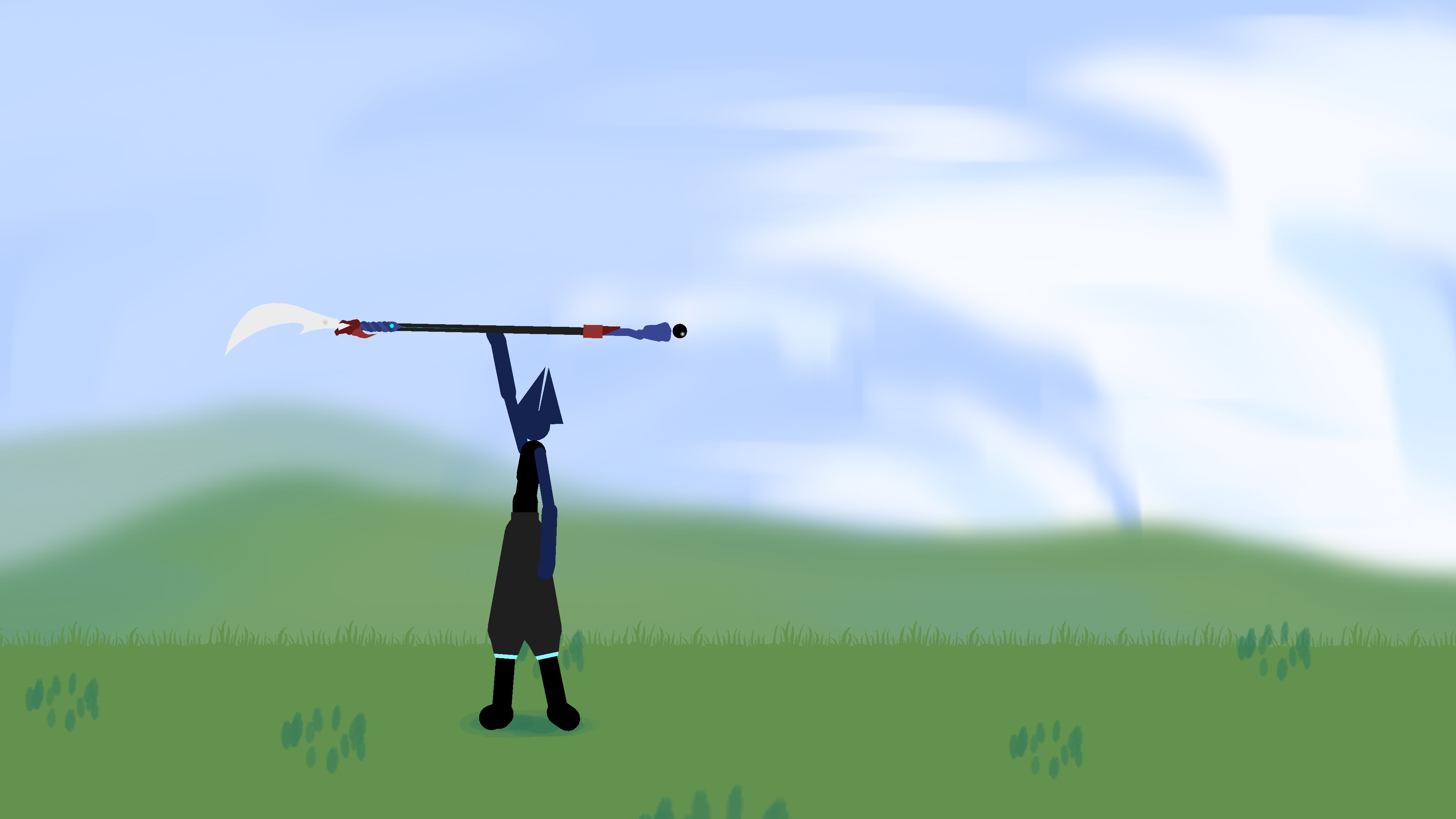
here\’s that same animation, with added effects via sprites and an overhauled bg i drew in like 30 seconds
-
Replying to comment by:
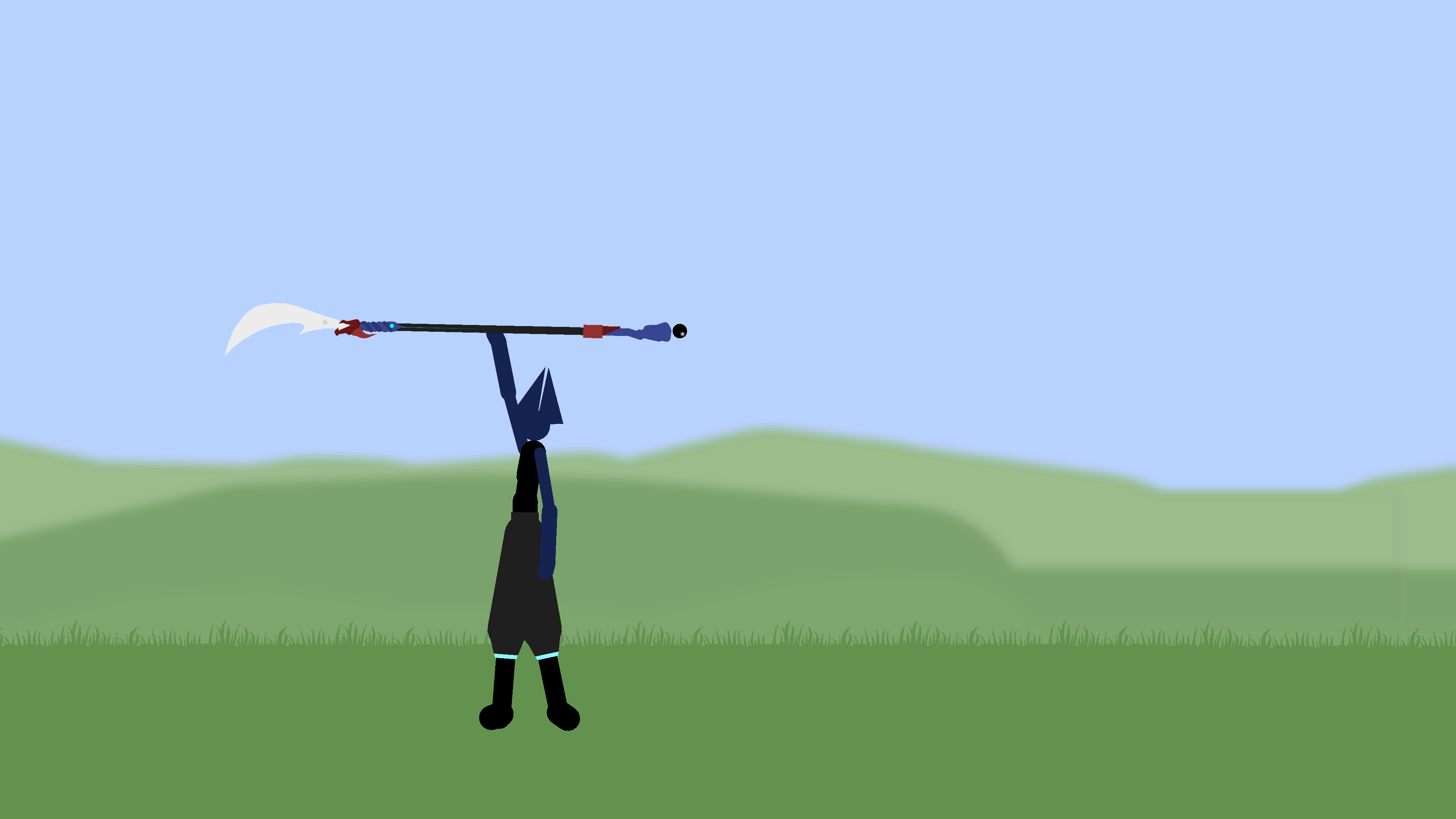
this is an old animation i made a while back to unrust, here\’s the bare animation
-
Replying to comment by:
i plan on adding a lot more, changing the grass bg, adding lens flares and effects like wind
-
the sprite update is honestly extremely good, it’s gonna be great for performance, it allows you to enhance animations a lot without much performance costs
here’s a frame comparason of an animation i tweaked with sprites
-
i plan on adding a lot more, changing the grass bg, adding lens flares and effects like wind
2023-03-10 09:01:08 UTC-
Replying to:
this is an old animation i made a while back to unrust, here’s the bare animation
2023-03-10 09:02:22 UTC-
Replying to:
here’s that same animation, with added effects via sprites and an overhauled bg i drew in like 30 seconds
2023-03-10 09:02:59 UTC-
Replying to:
the one thing to note is that sprites can get really big, and just clicking their general area selects them, unlike figures and normal nodes, in wich you have to select the segment specifically, this can be annoying, so note that down
2023-03-10 09:05:00 UTC-
Replying to:
i don’t think anyone was wondering this, but you can perfectly make your own images and use that
all of the sprites i used on the animation were made by me
2023-03-10 09:06:10 UTC-
Replying to:
note that you canNOT save sprites in the same way you save stickfigures, and every time you open another project, you’ll have to re-import the sprites, this can be tedious, but nothing game-breaking
apaprently there’s a workaround by adding the sprites into movieclips and saving that, but i’ll have to come back to confirm that
2023-03-10 09:08:25 UTC-
Replying to:
as for where to find sprites, i recommend “The Spriters Resource” website, it’s where i used to get pokemon 3D models, so maybe take a look over there, see what you like~
2023-03-10 09:12:47 UTC -
 Replying to:
homeslice there’s “Save to PNG” in the sprite-preview window
there’s really no other place to put that button where it wouldn’t be just annoying/taking up UI space
but that will save the sprite as-is to a PNG file in SN /sprites/ folder
you still gotta import it into new projects, but it retains its size/crop/etc
2023-03-10 11:18:41 UTC
-
Replying to:
if you lock the sprite, it won’t select it unless you click the main node
(usually you’d do this for backgrounds, like the grass and sky)
2023-03-10 11:17:37 UTC-
 Replying to:
Shut up
2023-03-10 12:00:06 UTC-
Replying to:
Shut up
2023-03-10 12:01:22 UTC-
Replying to:
Shut up
2023-03-10 12:02:17 UTC-
Replying to:
Shut up
2023-03-10 12:02:34 UTC-
Replying to:
Shut up
2023-03-10 13:23:14 UTC
-
Replying to:
-
if any of yall want a taste of OG sticknodes
-
CHAPTER 2 == Trust || Stick Nodes || Mochila Arc
made by my friend StickFenixGO WATCH NOW IT\’S SO GOOD
-
Sticknodes users who own a PC, would you be intrested in a guide to make 3D models using sticknodes as a reference?
Sn 3D?
- 57%
- 43%
7 votes -
Replying to comment by:
will keep at it then
-
Replying to comment by:
how many people mispell their OC\’s name?????
- Load More


lol what do you mean by “happened more than once”?
thats normal stretching behavior