
-

Ralph (Developer)


 2018-03-03 16:57:08 UTC
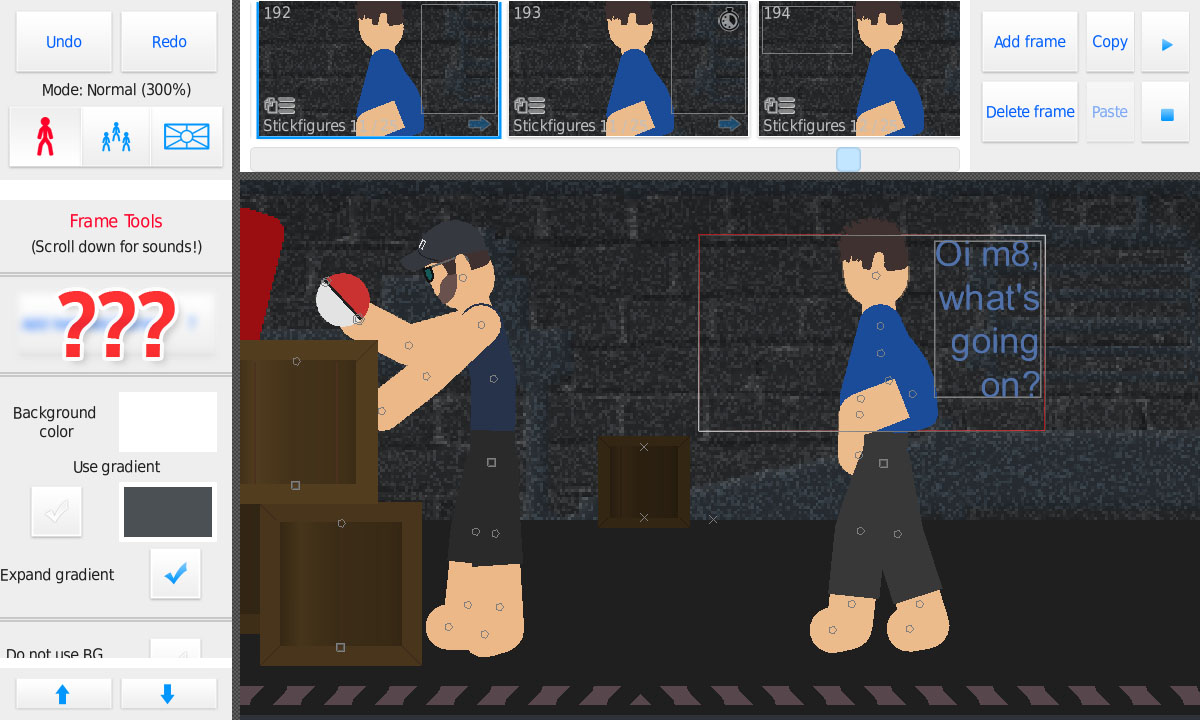
 came up with an idea for SN the other day and implemented it in about an hour or so
it might cause a ruckus, but I’ll keep it a secret until release 😉
Stick Nodes®
A stickfigure animation app created for mobile devices!
Create your own stickman animations on your Android or iOS device!


Could you give us a hint??
well, it does something to a frame
which is kinda obvious since it’s under “Frame Tools”…
…that’s all I got
🙂
Layers
“implemented it in about an hour or so”
if it were layers that would read
“implemented it in about five months and ten goat sacrifices”
actually you can’t m9
Are those two buttons?
If it’s one button, then I think it’s an “export this frame” button, for thumbnails of videos.
it is two, but the second is just a “?” to explain the other button lol
Is one “add _____” and the other “remove _____”?
I’m guessing it’s duration for the frame.
On frame 194, top right corner, there’s a stop watch
Nah, that’s already in the app.
That’s been around for ever
^
User Banned
THAT’S BEEN THERE FOR SO LONG
Theres some time thing up there. So It may be slowed down speed for a frame in tween or something. I know. I’m not even close.
m9 you disappoint me that you of all people don’t know of the “Frame delay” feature that’s been around since 2.0.0 I believe
Ralph, I think he means that he wants a slow motion function. there’s a pause frame function but no button that will severely slow down time during a tween. It’s a feature that I would like too.
Lol. I started using it now that I know of it. I only use the large features. But now that I know of this one and what it does, I’m gonna use it.
User Banned
HAS NOBODY HEARD OF THAT DAMN BUTTON I USE FOR 50% OF THE STICKNODES MOVIE
I’ve seen it but ignored it because I didn’t find a use for it. Now that I thought of it. It actually has a use to me now in talking scenes.
User Banned
O B V I O U S L Y
I’m used to spamming the frames to 1000 in talking scenes.
exactly, $5 now
Roataion
you’re a roataion
Thanks sex joke
ethir something to do with the crates or background static
*wrong buzzer*
Throwin’ Out a guess but mmmmaaayyyybbbbyyy it’s blur frame? I dunno
User Banned
Blur StickFigure button already exists
Next
while that’s not necessarily the reason (I will soon do “frame filters” – but blur probs won’t be one, it’s just too intense in terms of lag) – “next” is correct
User Banned
New coming to StickNodes… Next.
You click a button and the animation is just the word Next with earrape of the royalty free Ukulele in the background
User Banned
Auto-Vibrate?
is this a sex thing
ps “camera wobble” is coming though
User Banned
Oh, that’s what i meant lol
User Banned
And what of those extra shapes we’ve waited literal years for?
User Banned
1) I’LL BE AN OLD MAN WHEN YOU MAKE NEW SHAPES!
2) is that MLP… Why Ralph, just why
Ralph *ExPoSeD*
@randomthinking you love it too
you love it
User Banned
I hate it
I’m just gonna throw out a guess: is it background darkness? like I mean – sure – you can use a black stickfigure with opacity at the back for the same effect – but – that uses one of the valuable 25 stickfigure slots. IDK…
*error buzz sound*
I’ll take that as a no then