-
🦋 Sen! 🦋


 2022-06-28 16:45:17 UTC
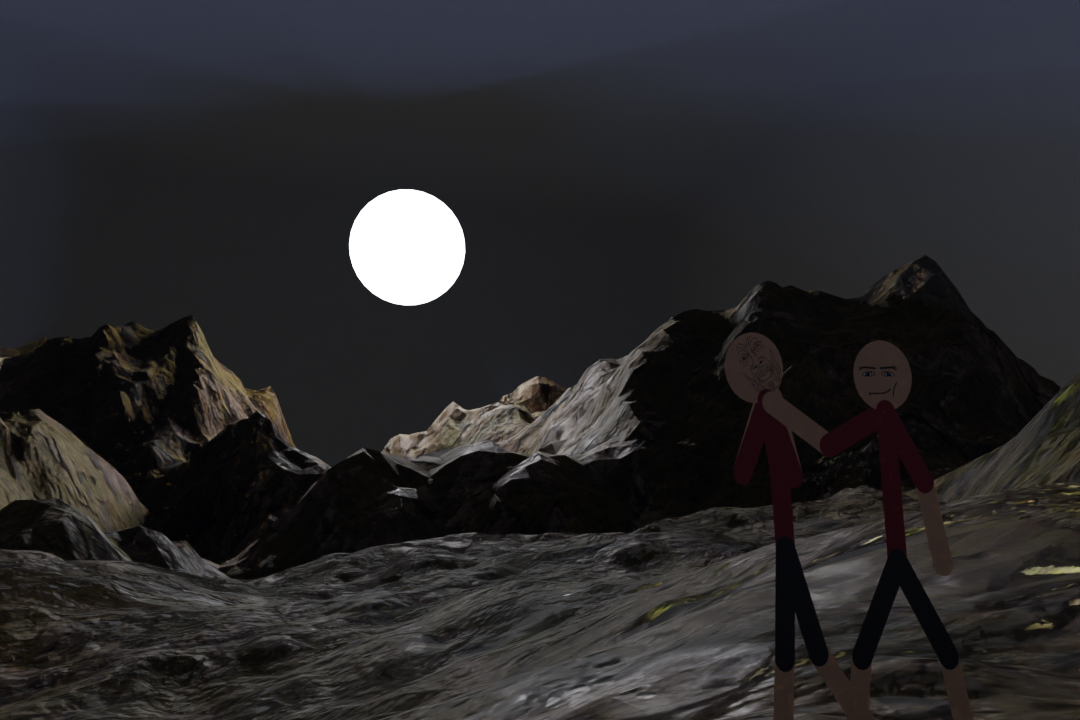
 I tried using blender again today
This took a whole night to try and learn and it’s absolutely awful lmfao

Stick Nodes®
A stickfigure animation app created for mobile devices!
Create your own stickman animations on your Android or iOS device!
🦋 Sen! 🦋 2022-06-28 16:45:17 UTC
I tried using blender again today
This took a whole night to try and learn and it’s absolutely awful lmfao


It’s awful, but worth it.
Just to let you know
If you increased the size of the landscape, make sure to increase the amount of nodes on it too (I forgot the name but it basically makes it look less blocky) It’ll prevent the blocky appearance the landscape has. You can just look up how to make mountains as well.
Also, when making a texture, You should add the textures of the following:
Color (obviously)
Specular
Roughness
Bump
If the dirt texture you have here comes with these textures add more image textures and add them to the principled bdsf, first connect them to texture coordinate of course. (If you don’t know, texture coordinate applies the textures correctly to the object)
If it doesn’t come with the textures, simply duplicate the color texture and add it to everything else. You can also change the color of the texture by adding a color ramp between the image texture and the principled bdsf. Add two of them though, the first color ramp kind of changes how many blacks and whites there will be. The second color ramp will change the color.
Also, when using texture coordinate, if the texture looks too big or low quality, you can add a mapping node between the image texture and the texture coordinate. Play around with the scale until it looks small enough. You can also instead of using generated on the texture coordinate, use object. It can make it look smaller.
Otherwise from that, there are other things too. When creating a light source, if you want it to glow make sure to add emission to the principled bdsf and turn on bloom. That way it’ll look like it’s glowing. (To the object, not the light source.)
And when creating a sky, there is actually a sky texture that you can use, you can search for that on yt on how to use it. You can also create an atmosphere too but thats also complicated, use yt for that as well.
You can also make clouds, however that’s a bit more complicated since it involves using volumetrics. You can search on yt for how to make clouds.
To get a better understanding of everything, here are some videos that help
(this one below this text uses an addon, but it can show you about mixing textures.)
(Watch blender gurus donut tutorial to get an idea on modelling and stuff)
Your computer is also definitely way better than mine, so you can also try to get into cycles rendering which calculates all light bounces unlike eevee which is more for quick renders.