

(Guest)
May 23rd, 2020
( 3 thumbs )
( 3 thumbs )
 1st
1st 2nd
2nd 3rd
3rd
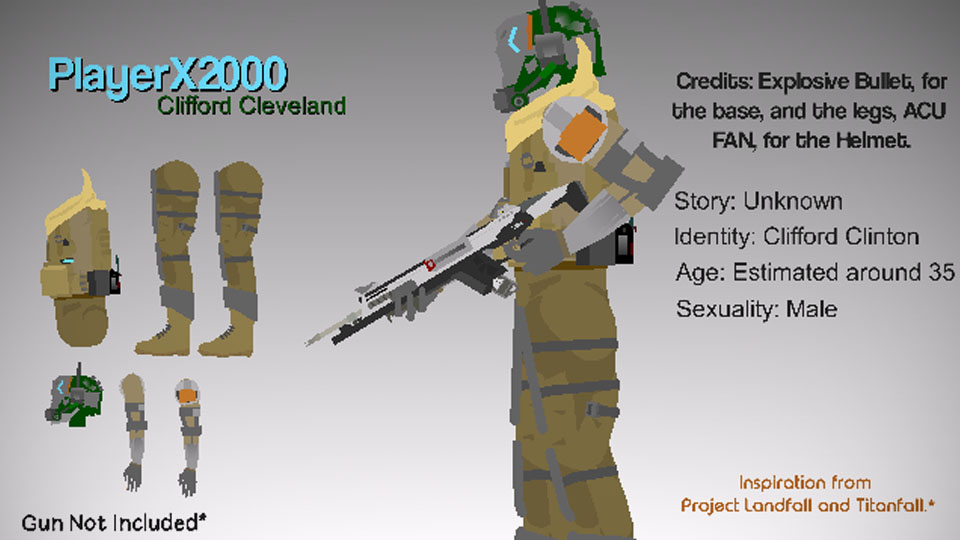
Welp, Here it is bois. Heres sum of the important stuff to know.
Credits: Explosive Bullet, And ACU FAN.
There might be some problems with the stick and if there is I'll fix it. It might not be perfect but it'll be okay. But anyway bois here it is. I'll work on the story later. Stay Safe!
#Staysafe #soldier #oc
Credits: Explosive Bullet, And ACU FAN.
There might be some problems with the stick and if there is I'll fix it. It might not be perfect but it'll be okay. But anyway bois here it is. I'll work on the story later. Stay Safe!
#Staysafe #soldier #oc
May 23rd, 2020
( 3 thumbs )
( 3 thumbs )
1st2nd3rdThis download is a ZIP of 6 files
Clifford_Cleveland Right Arm (13.39kb)
Clifford_Cleveland Left Arm (13.73kb)
Clifford_Cleveland Left Leg (15.64kb)
Clifford_Cleveland Right Leg (15.64kb)
Clinton_Cleveland Torso (21.30kb)
Clifford_Cleveland Helmet (13.03kb)
Problem with this submission?
Please log in to report this file.










Other popular submissions in people category


Wait,Clifford is g a y ?
No, but good guess.
You shoulda atleast tried to edit the pants to match the overall look fo the fig, but still iz cool
Yeah I’m gonna do a better version of this stick.
I honestly dont like it.
It is coarse and rough..
And it gets everywhere
PL Team Slave OwnerYou got something going here for design. It’s detailed definitely looks like it takes inspiration from titanfall.
10/10
Can someone tell me how to put personalized images for my figures? (you know so it doesn’t look so empty)
Right after you submit a stick figure, look go to the stick nodes website, look at the left of your screen and there will be a magnifying glass and three lines. Tap the three lines and scroll until you see “Submit thumbnail.” So Make sure you have a picture of the stick before you submit. Also you can’t put a thumbnail on a stick after it’s submitted. I know from experience.